HOTCOIN Logo
Buy Crypto
Market
Trade
Futures
Earn
Rewards Hub
More
Web3 Wallet
Service Contacts

[email protected]

Product Feedback

[email protected]

Business Cooperation

[email protected]

Legal Contacts

[email protected]

Contact us
Service Contacts

[email protected]

Product Feedback

[email protected]

Business Cooperation

[email protected]

Legal Contacts

[email protected]

About us
Platform Introduction
Announcement Center
System Status
User Agreement
Privacy Policy
Legal Description
Products
Futures
Spot
Copy Trading
Margin
Earn
Trade Crypto via P2P
Buy Crypto with Card
Web3 Wallet
Service
Live Streaming
Hotcoin Elite Picks
Rewards Center
Friend Referral
VIP Benefits
Download
P2P Merchant Application
Support
Hotcoin Academy
Help Center
API Docs
Fee Rate
Crypto Info
Listing Application
Online Service
User Feedback
Official Verification
Trading
BTC USDC
ETH USDC
BTC USDT
ETH USDT
PI USDT
SOL USDT
XRP USDT
©2017-2026
Help Center
/Alpha/
Alpha Trading Guide
Help Center
/Alpha/
Alpha Trading Guide

Alpha Trading Guide

Hotcoin
Share


I. What Is Alpha Trading


Alpha Trading allows users to trade on-chain tokens directly using USDT from their spot account, without leaving the platform.

In traditional on-chain trading, users are typically required to withdraw assets to an external wallet and execute trades through decentralized exchanges (DEXs). This process involves multiple steps, including asset withdrawals and wallet connections, which may create barriers for new users. In addition, some on-chain tokens are not yet listed on centralized exchanges and can only be traded on-chain.

Alpha Trading integrates on-chain trading capabilities directly into the exchange, enabling users to buy and sell on-chain tokens without withdrawals or wallet connections. This provides a more efficient and seamless one-stop on-chain trading experience.

This feature is particularly suitable for users who want to participate in on-chain projects but are not familiar with using wallets or on-chain processes.


II. How to Use Alpha Trading
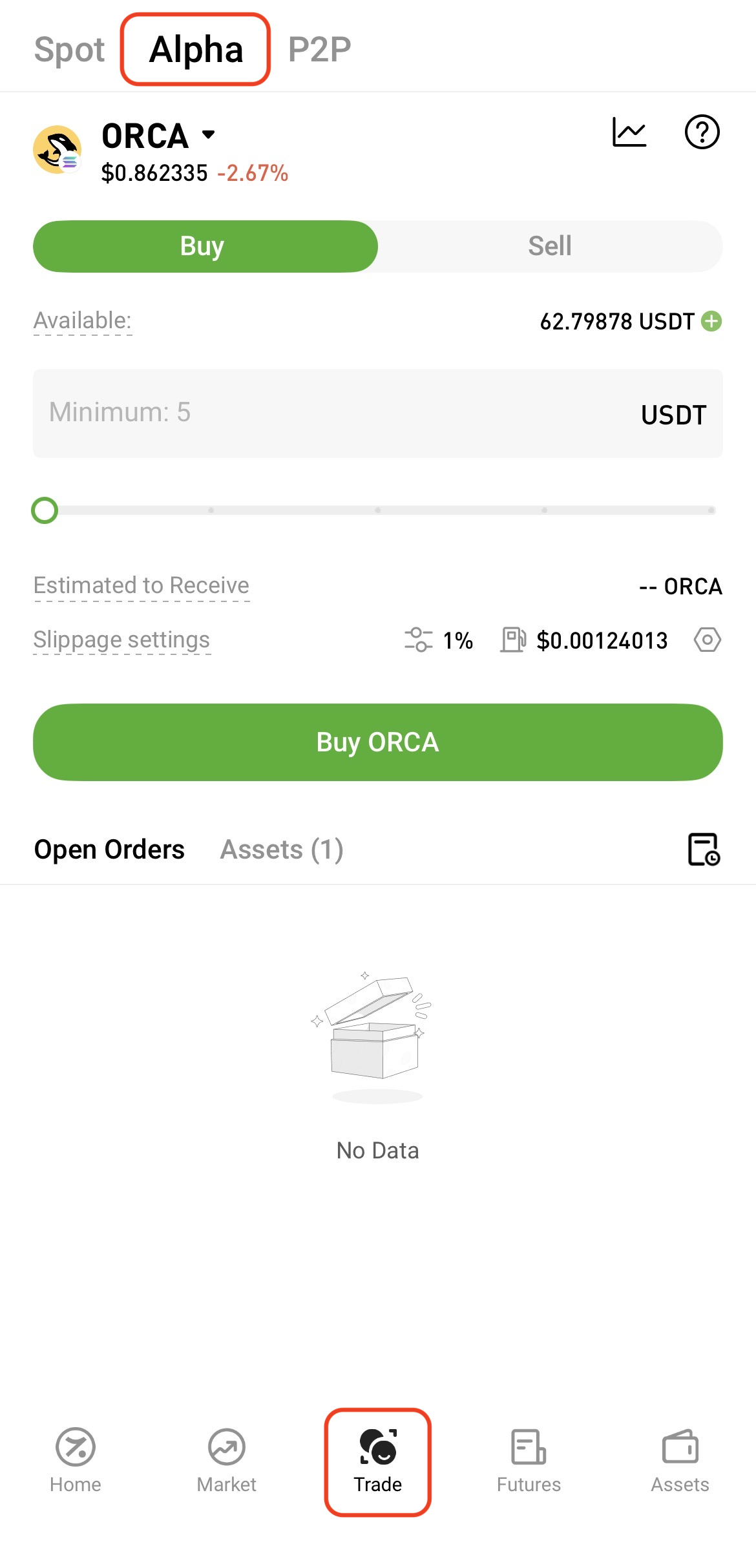
   

1. Go to the Alpha Trading page
  
On the App:
Tap Trade at the bottom of the homepage, then select Alpha at the top of the page.


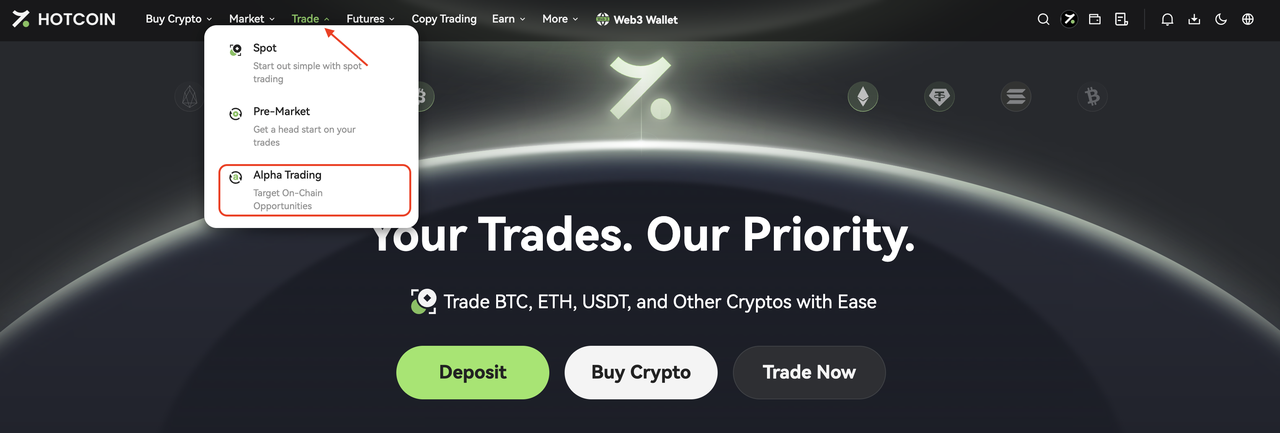
On the Web:
Click Trade in the top navigation bar on the official website, then select Alpha Trading from the drop-down menu.


2. Search for and select a token
  
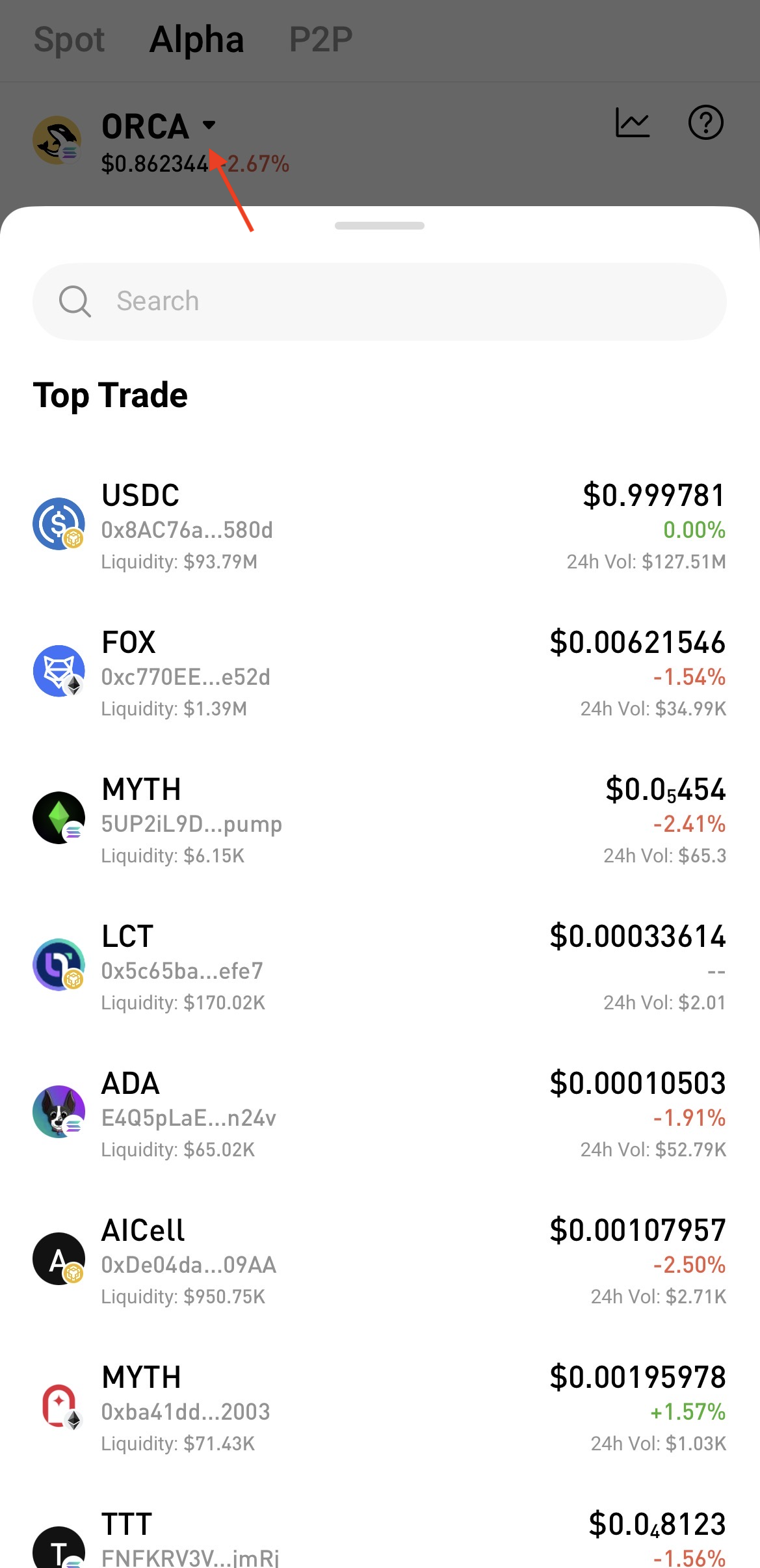
On the App:
Tap the drop-down menu next to the token name, then search for and select a supported token.


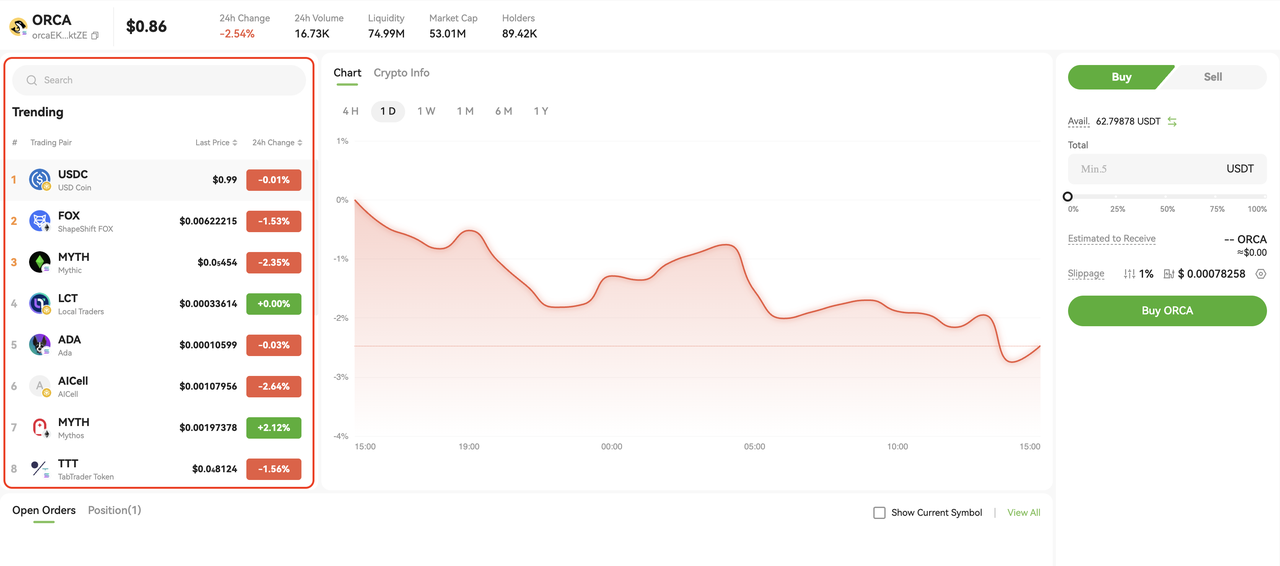
On the Web:
Use the search bar on the left side of the Alpha page to find the token directly.


Note: If multiple tokens share the same name, please verify using the contract address before trading.
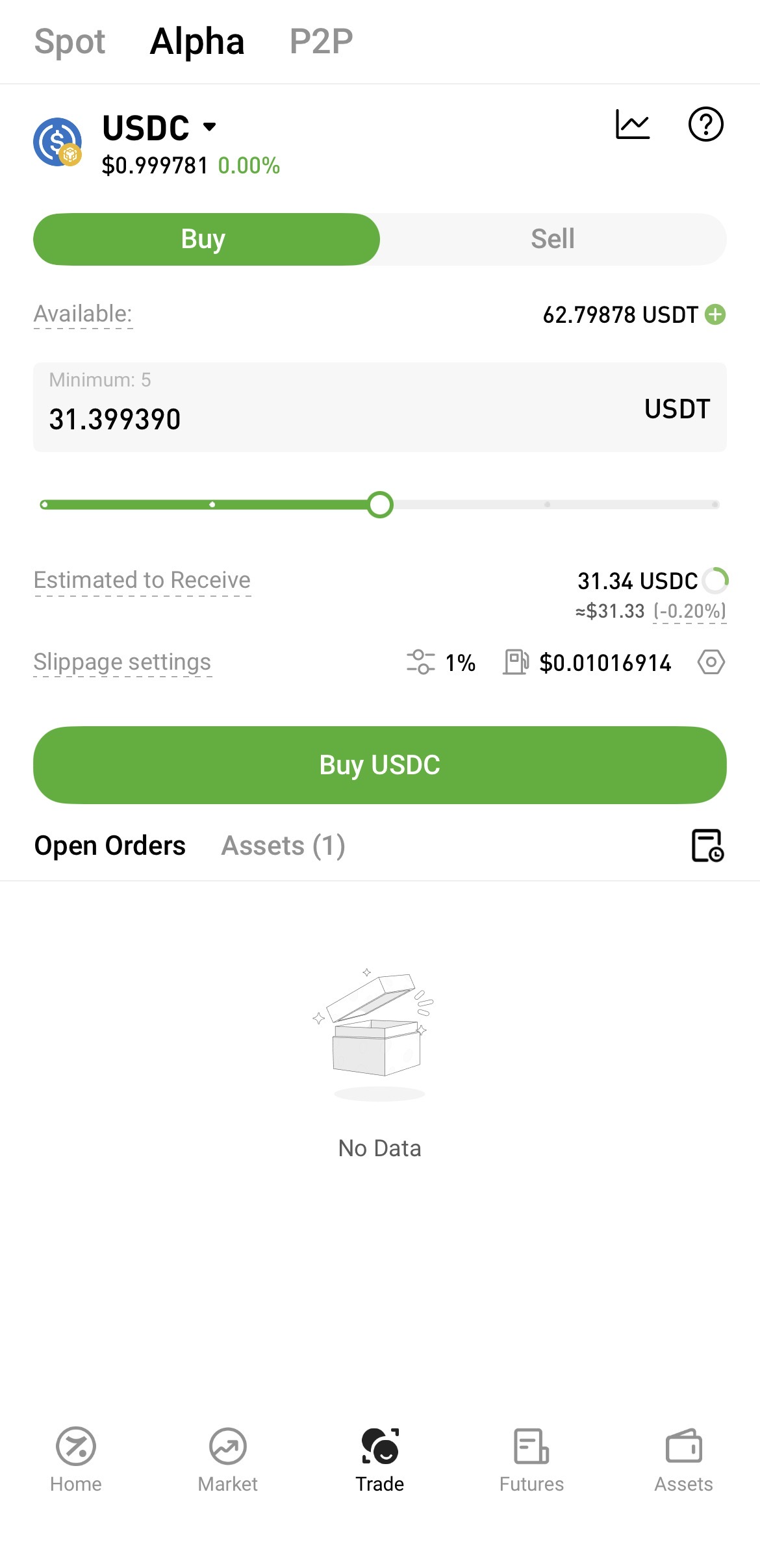
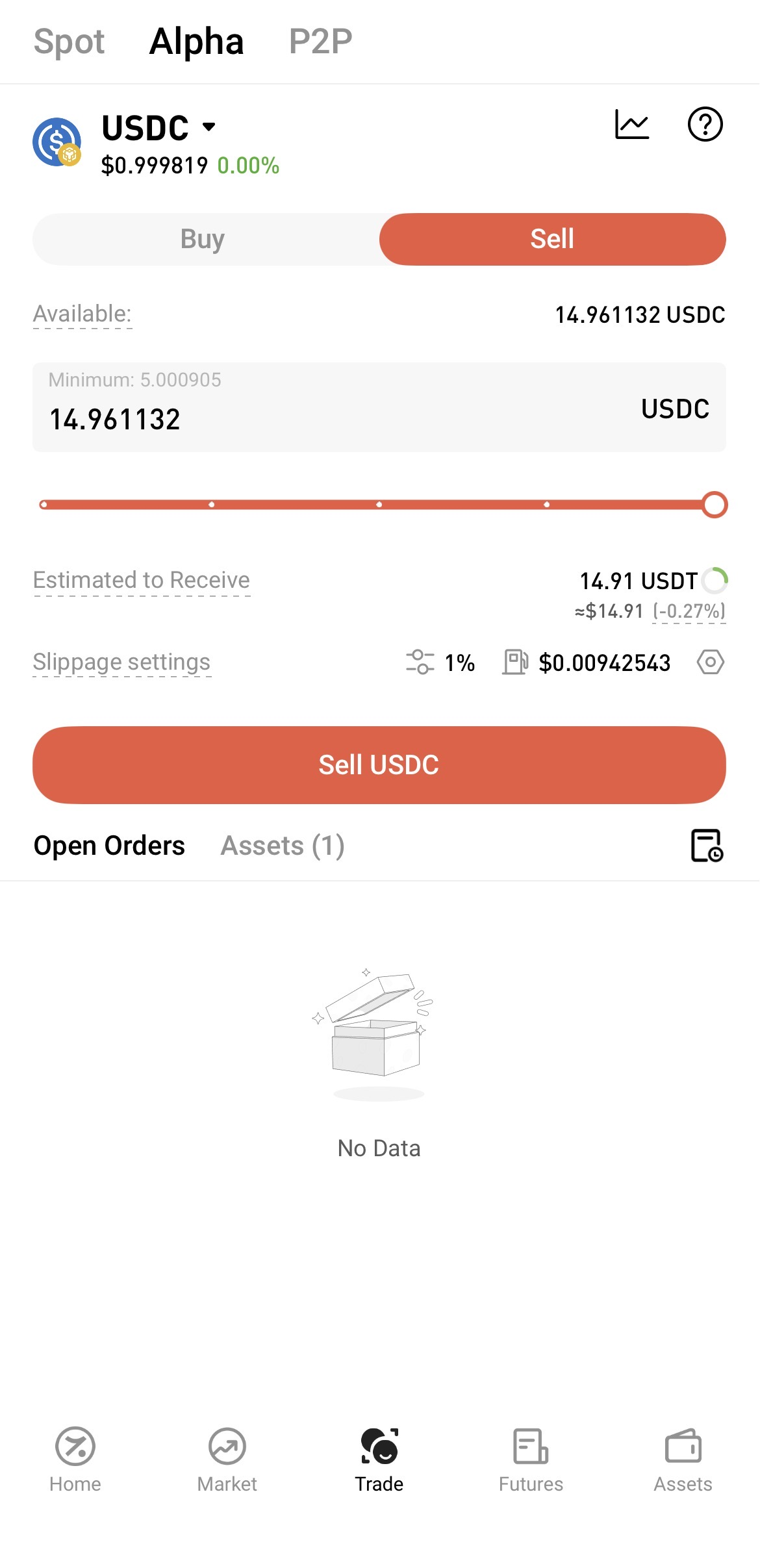


3. Enter your trade details
  
Enter the required amount based on the trade direction:
  
Buy: Enter the USDT amount to purchase, and the system will display the estimated amount of tokens to be received


Sell: Enter the amount of tokens to sell, and the system will display the estimated amount of USDT to be received


The system will estimate the amount you are expected to receive based on current on-chain market conditions. Actual execution results may vary due to slippage, on-chain network fees, and other factors.


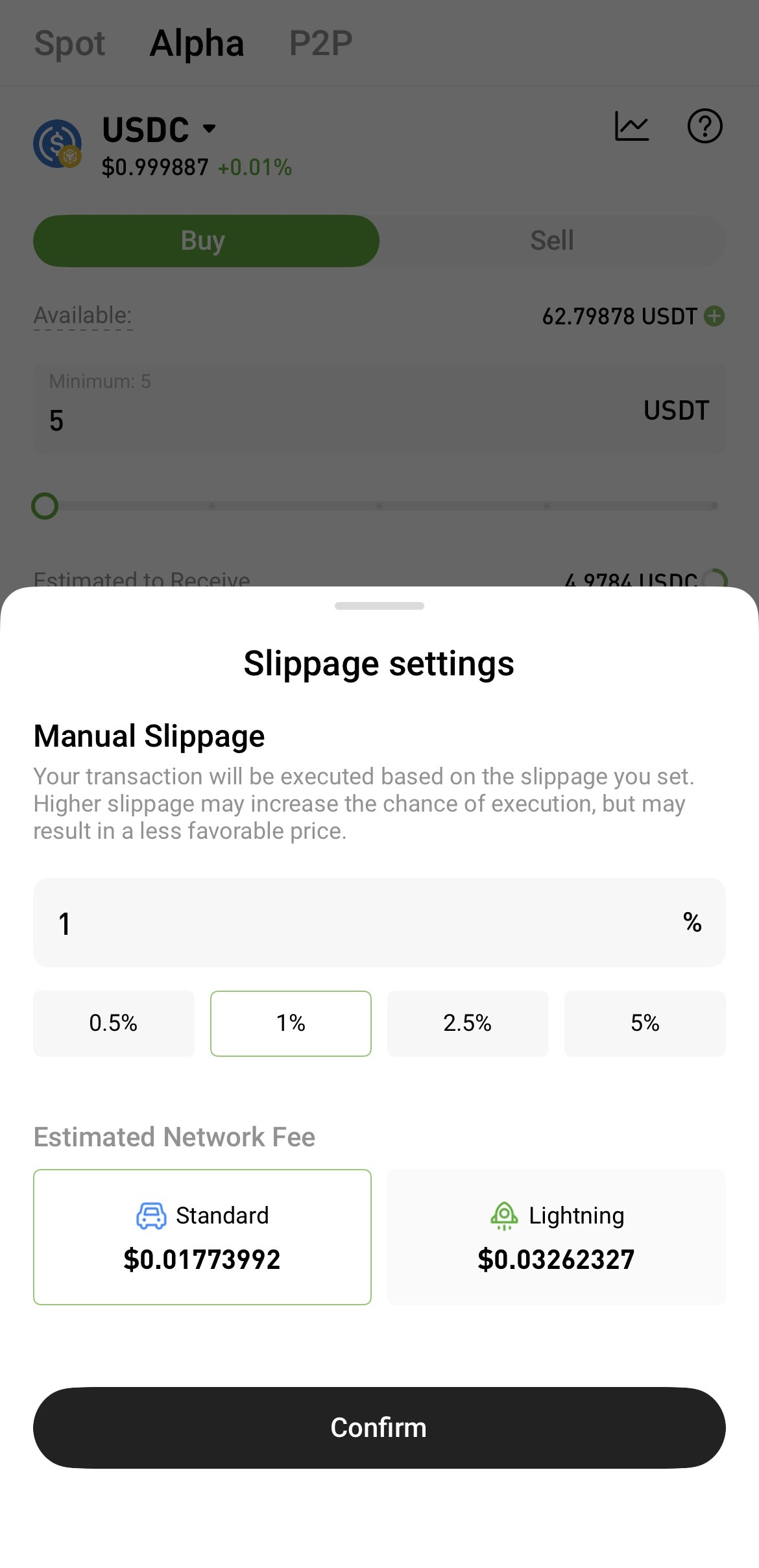
4. Set slippage tolerance (optional)
  

Because on-chain asset prices can be highly volatile, you may set slippage tolerance based on market conditions to improve the likelihood of order execution.

Slippage refers to the difference between the expected execution price and the actual execution price. A higher slippage tolerance makes an order more likely to be filled, but it also increases the possibility that the final execution price will deviate from your expectation.


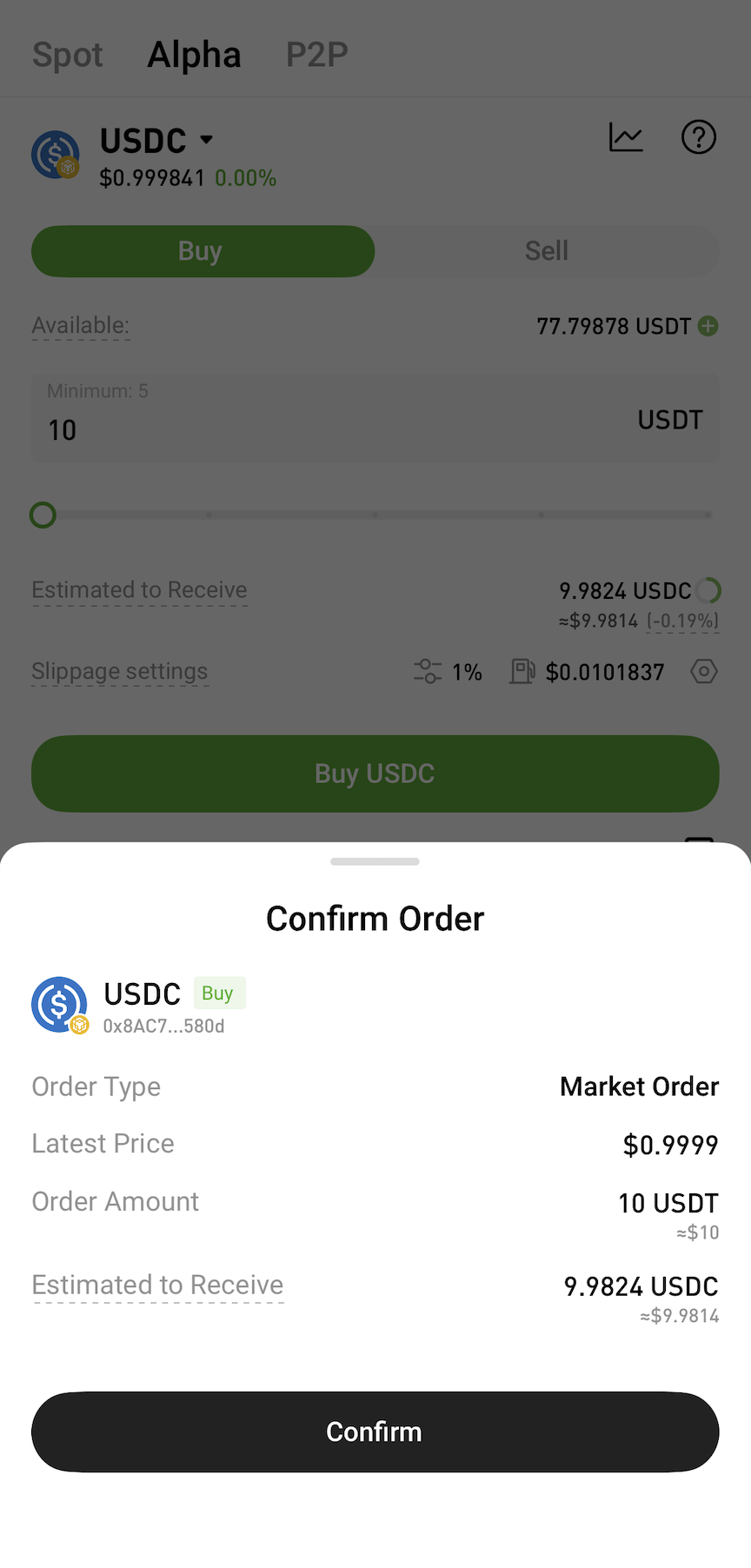
5. Confirm and submit the trade


After confirming the estimated received amount and fees, submit the order and wait for blockchain network confirmation. Alpha Trading currently supports market orders only. The final execution price and received amount are subject to on-chain execution results.


6. View your Alpha assets and trade history
  

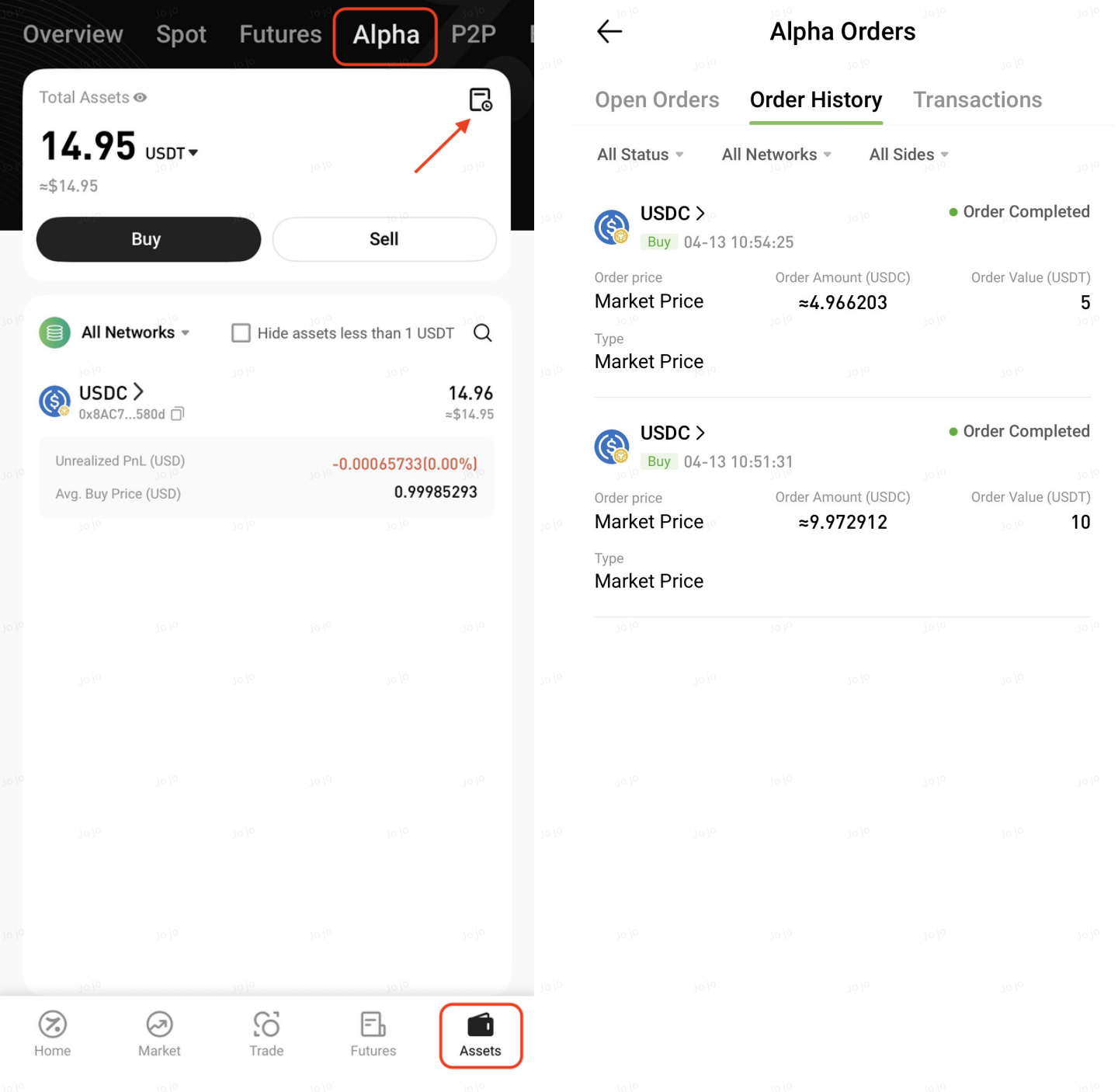
After submitting the order, users can view order status and execution status in Alpha Orders. If an order is not filled or submission fails, please refer to the on-screen message for details.


On the App:
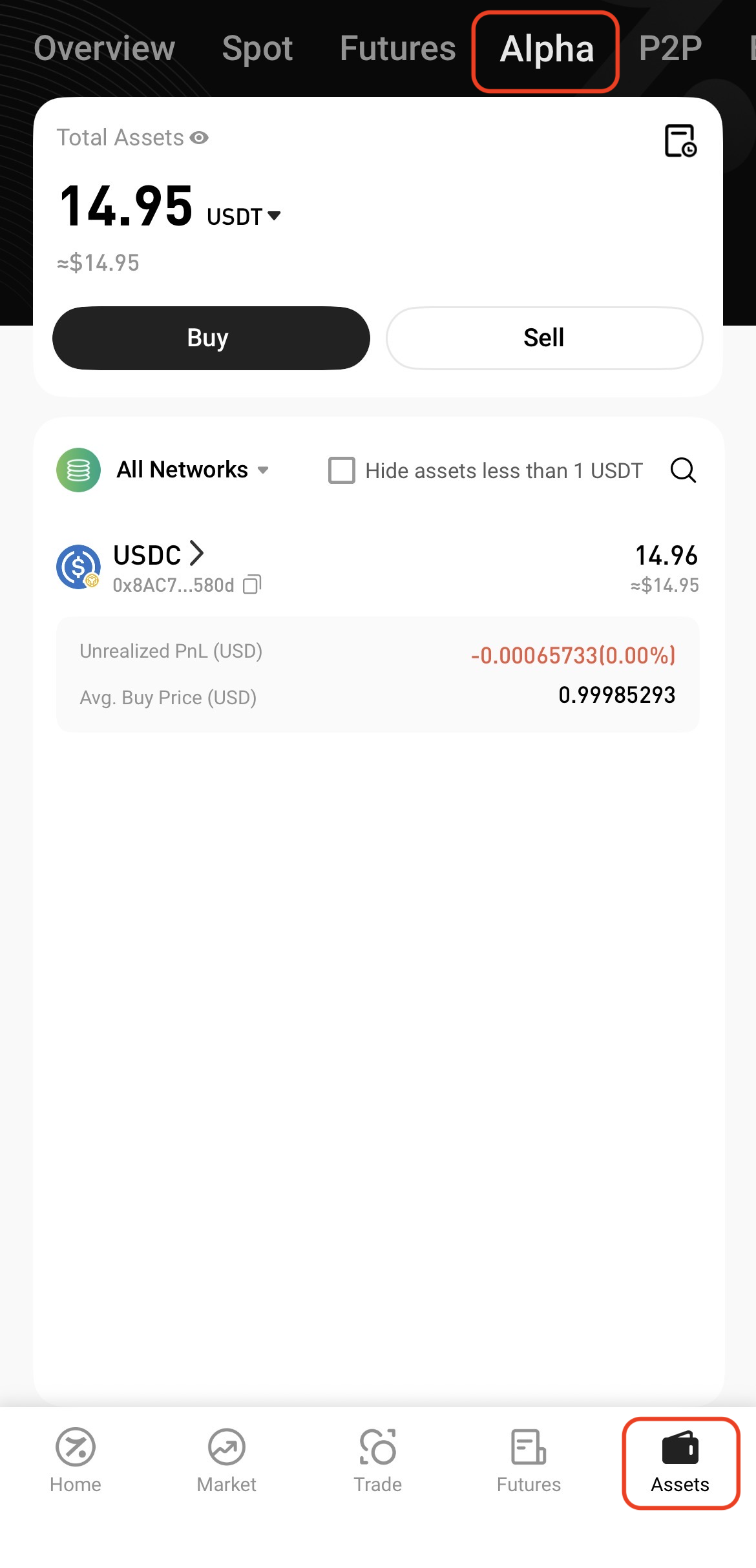
View assets: Assets → Alpha


View trade history: Assets → Alpha → Alpha Orders


On the Web:

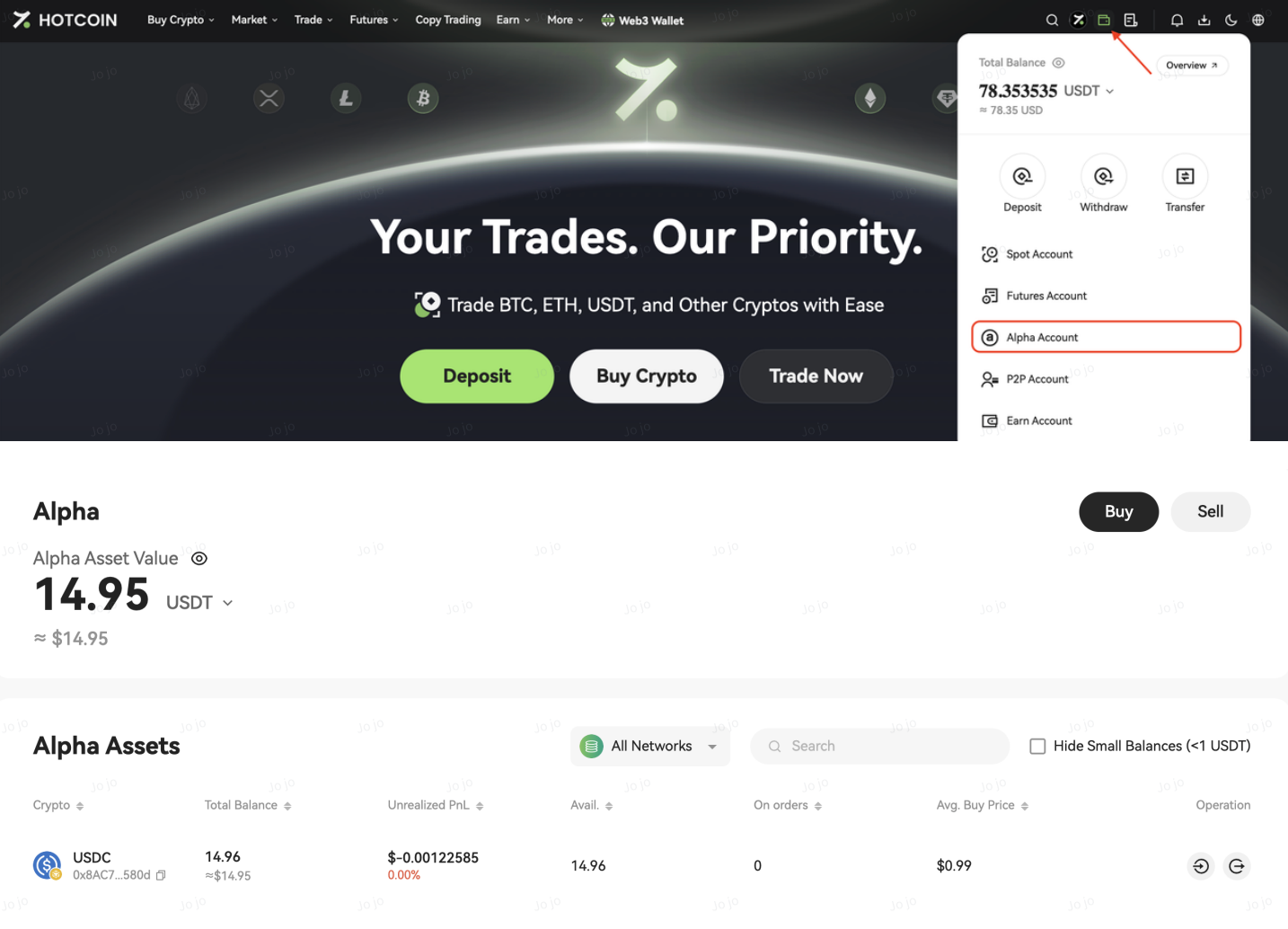
View assets: Assets → Alpha Account


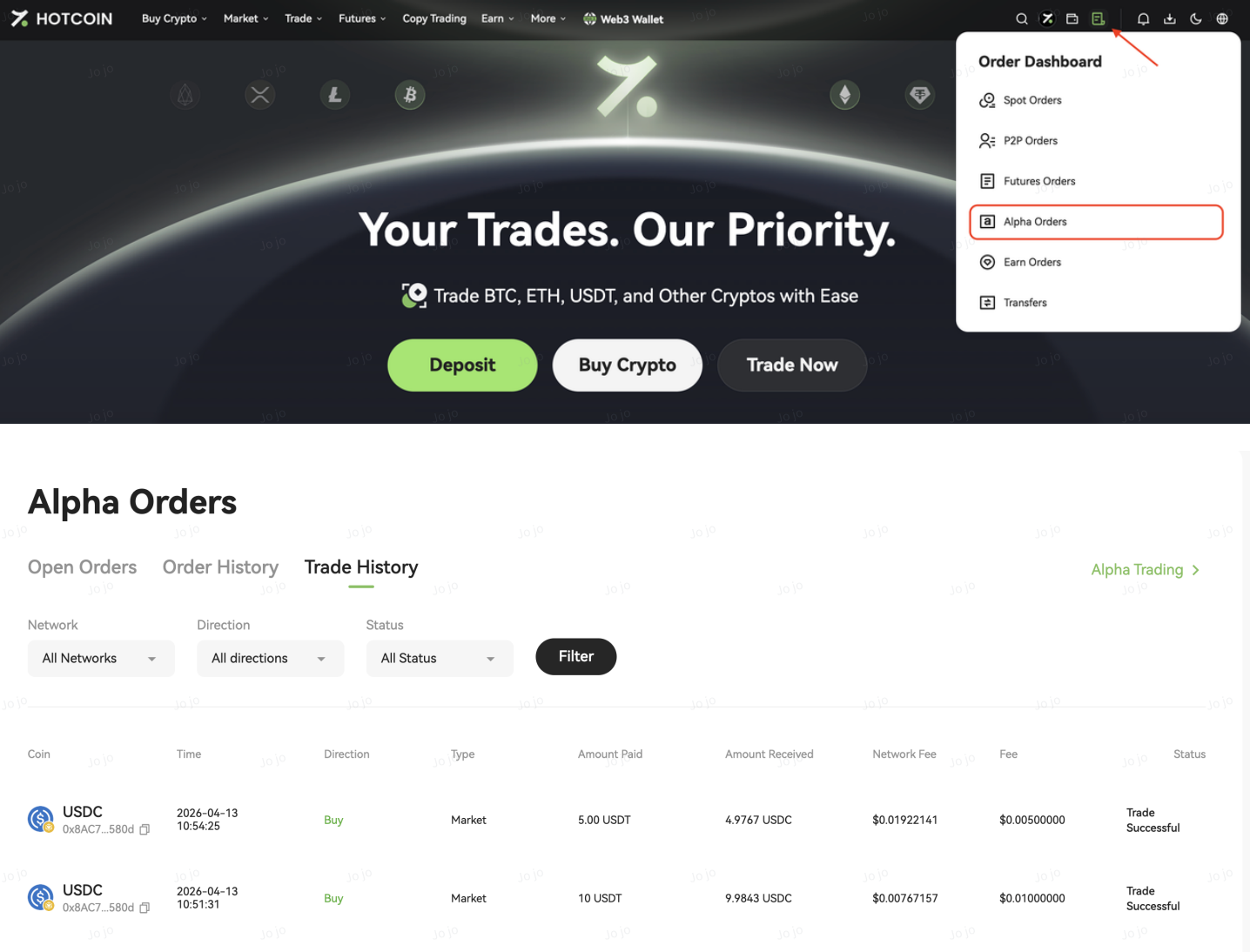
View trade history: Orders → Alpha Orders


Notes

  • Transactions require confirmation on the blockchain network, and processing times may be affected by network congestion and other factors.
  • On-chain price volatility and liquidity conditions may cause the actual execution price and received amount to differ from expectations.
  • Once an on-chain transaction is submitted, it typically cannot be canceled. Please review all details carefully before confirming your order.

Quick Start Guide
Cryptocurrency Basics
Beginner’s Guide
App Guide
Start Trading
VIP Program
Rewards Center
Account Security & KYC
Asset Security
Security Settings
KYC Verification
Deposit & Withdrawal
Deposit
Withdrawal
P2P
P2P Trading Guide
P2P Merchant Management
P2P Rules & Agreements
Friend Referral
Spot Trading
Spot Trading
Pre-market trading
Derivatives
Advanced Trading
Grid Trading
Trend Trading
Fundamentals of Technical Analysis (Candlesticks / MACD / RSI)
Prediction Market
Futures Grid
Futures Trading
Getting Started
Contract Type
Trading Mechanics
Risk Management
FAQ
Copy Trading
Getting Started
Follower Guide
Lead Trader Guide
Terms of Service
Web3 Wallet
Getting Started
Swap
Hotcoin Card
Hotcoin Earn
Alpha
Startup
Platform Support
Agreements & Rules