

Service Contacts
Product Feedback
Business Cooperation
Legal Contacts
About us
Service
Support
©2017-2026
Application: Forgot Your Password? Here’s How to Reset It
Web: Standard Password Change (While Logged In)
Web: Forgot Your Password? Here’s How to Reset It
Step 1: Tap the profile icon in the top left corner of the Hotcoin app homepage, find and tap Account Security.
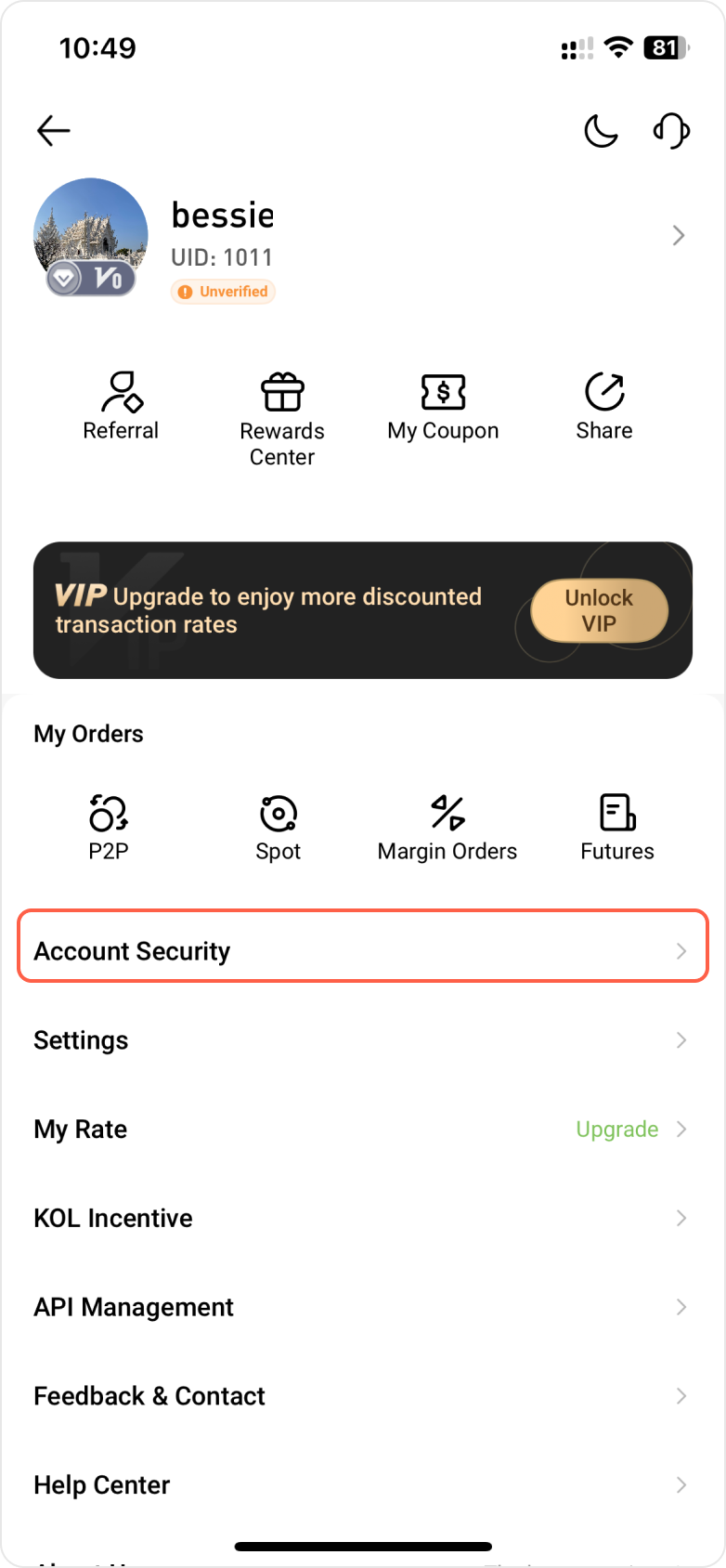
Step 2: Locate the Login Password option and select Modify.
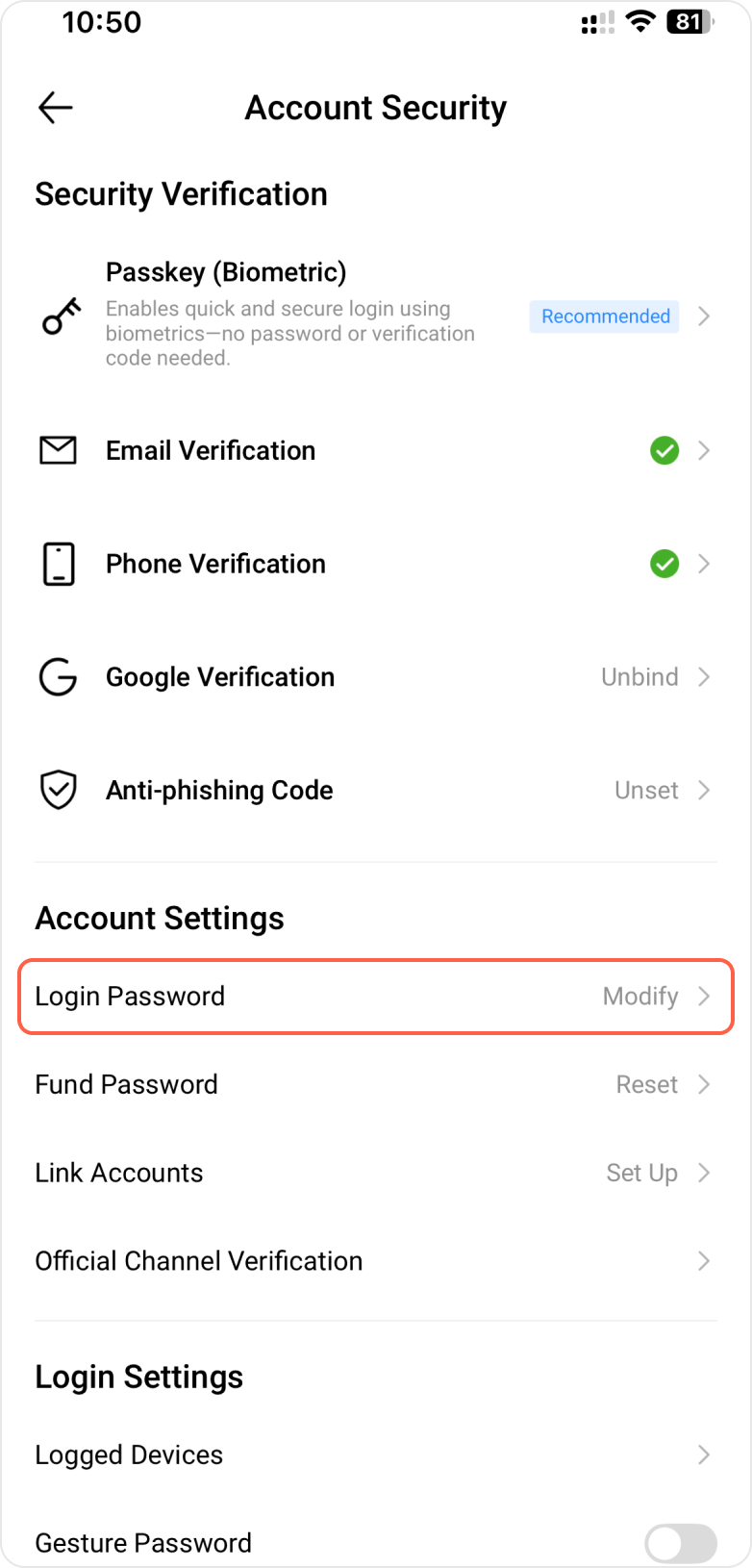
Step 3: Enter your current password, then set and confirm your new password. The new password must be entered twice and matched exactly. Tap Next to complete the password change.
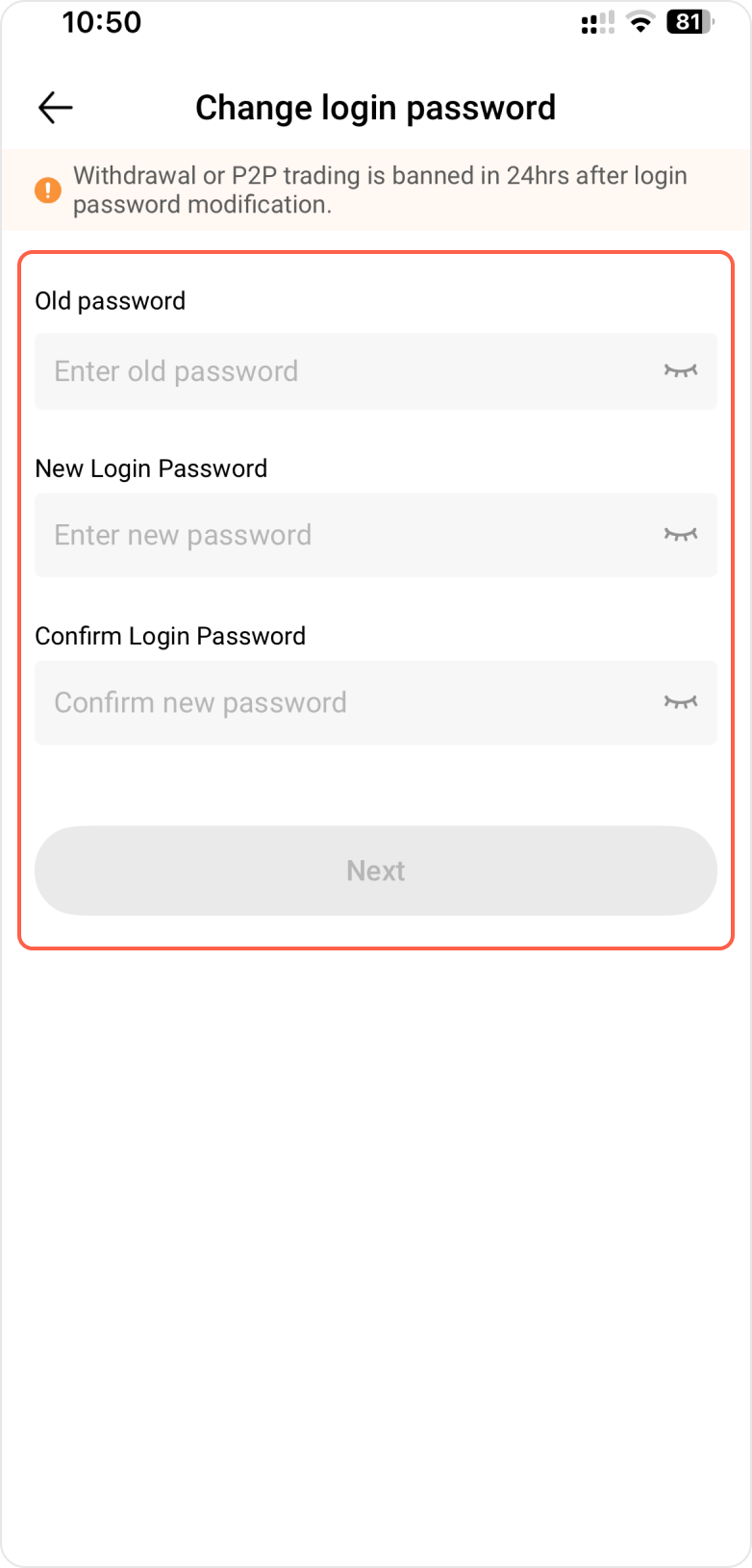
Step 4: Enter the security verification code, then tap Confirm to complete the process.
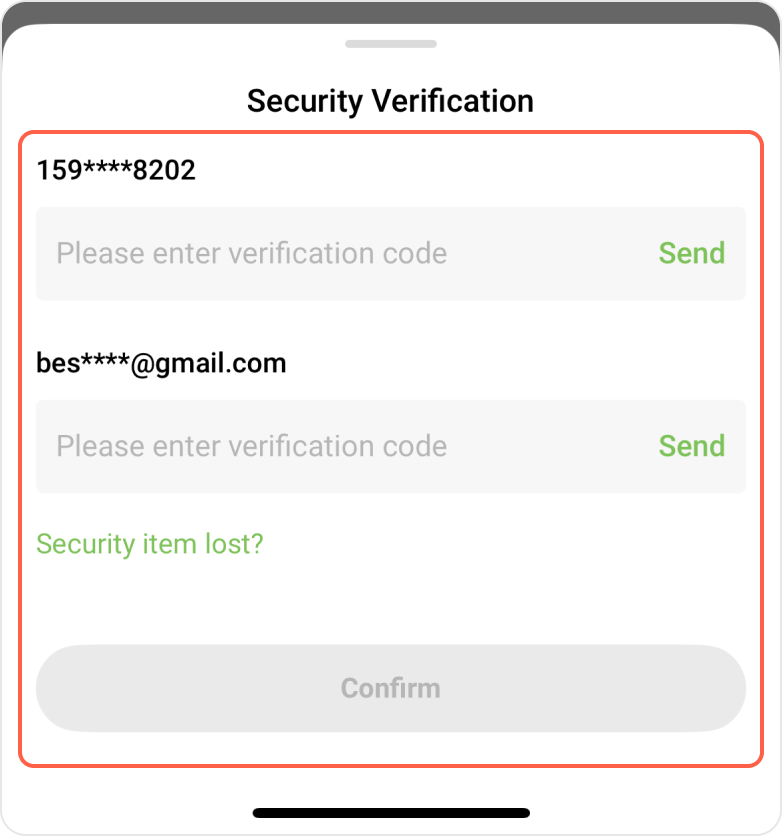
Step 5: After your password is successfully changed, the system will automatically log you out and redirect you to the login page. Please use your new password to log back into your account.
Step 1: Open the Hotcoin app and go to the login page. Enter your account and tap Next, then tap Forgot password below the password field.
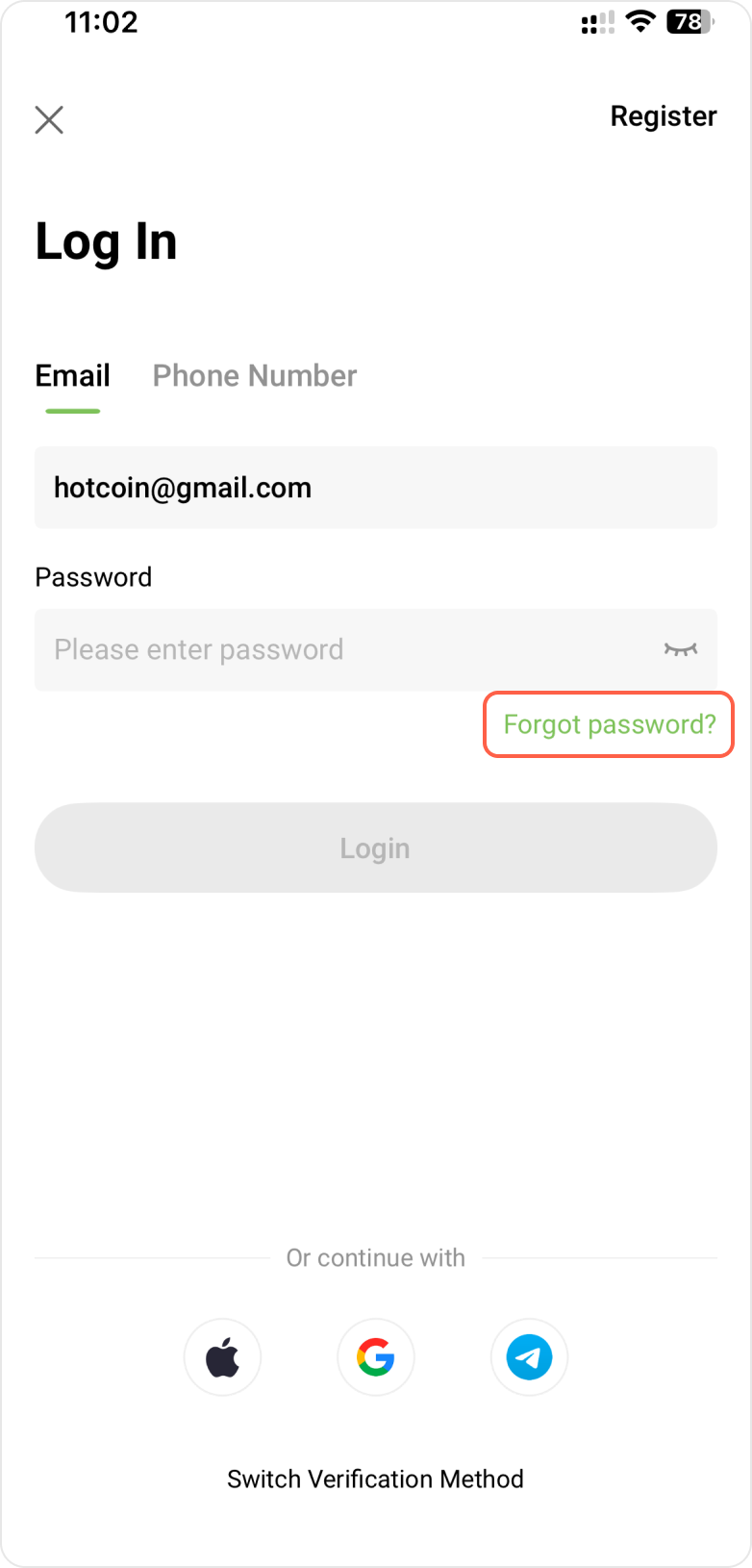
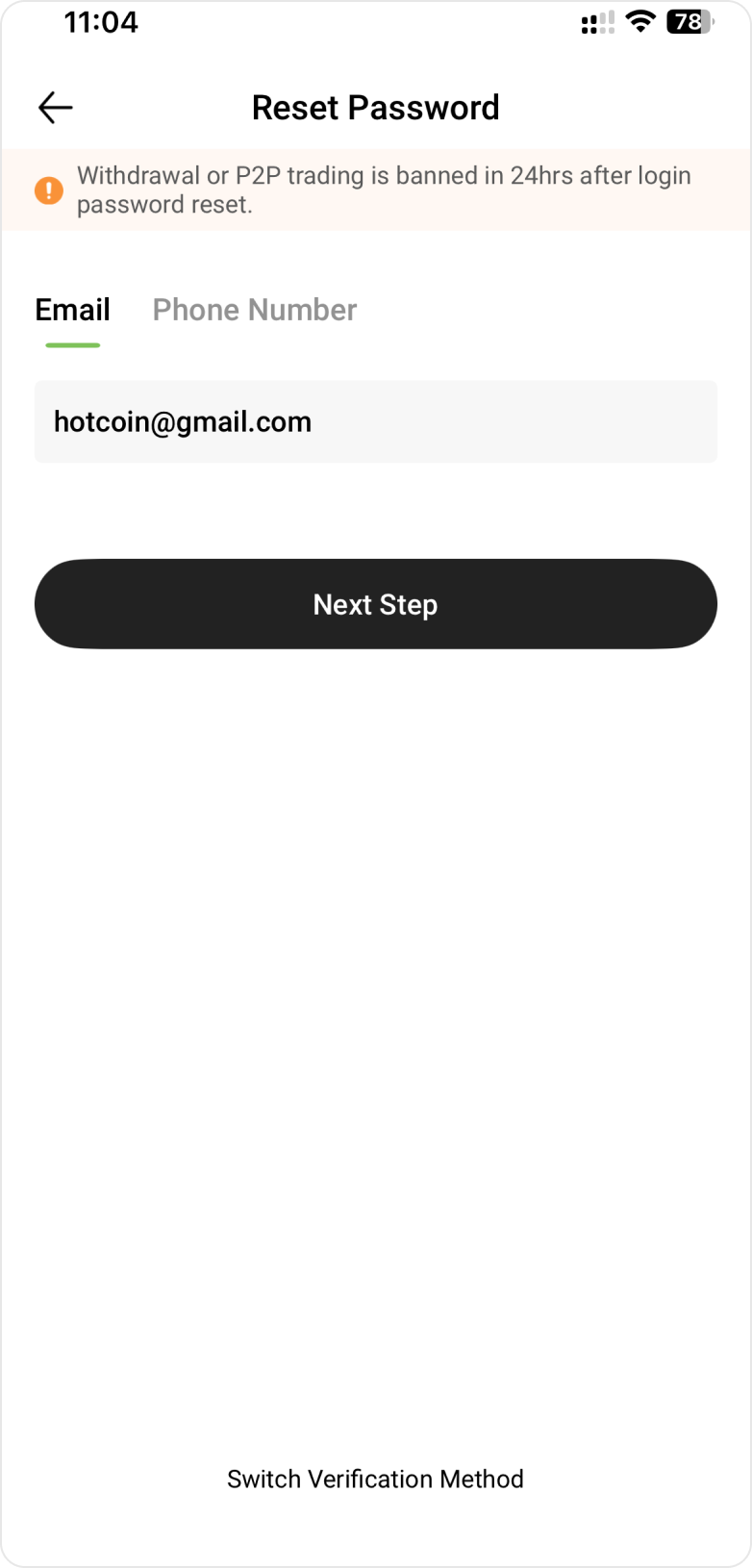
Step 2: Enter the account (email address or phone number) for which you need to reset the password, then tap Next Step to proceed with verification.
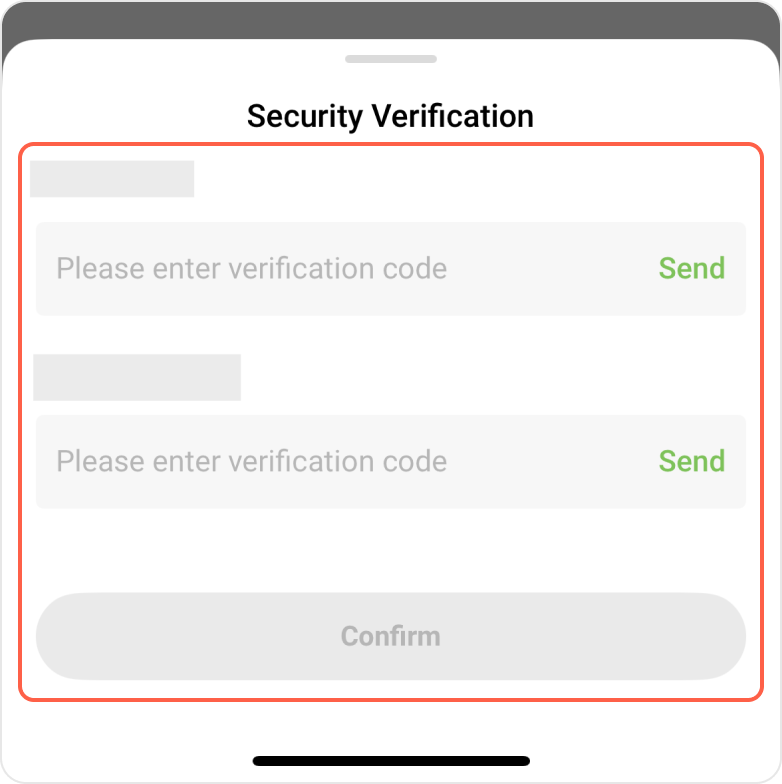
Step 3: Tap Send to receive your verification code. After entering the code you received, tap Confirm to complete the process.
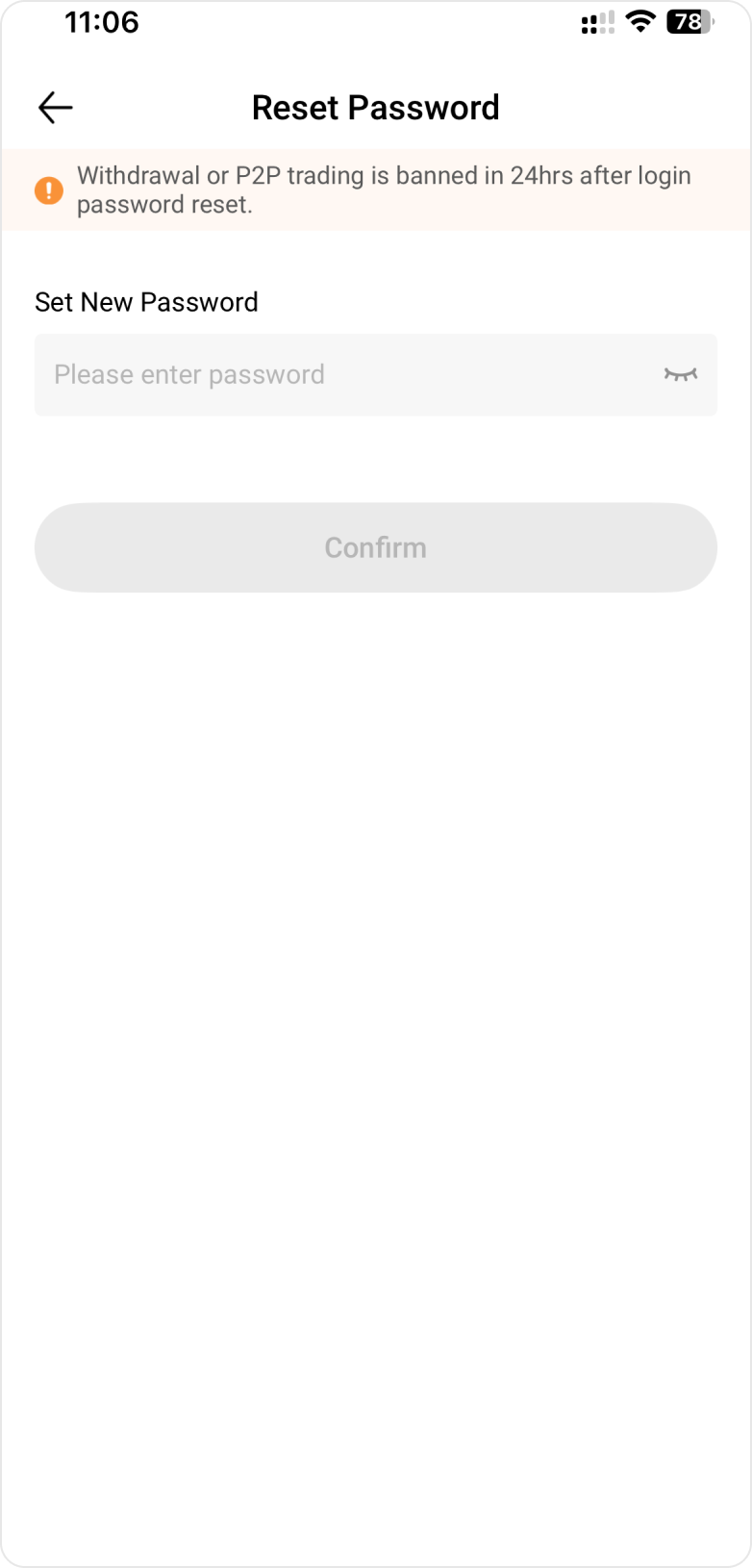
Step 4: Set your new password and tap Confirm.
Step 1: While logged into your account, go to Account Security, navigate to the Password Settings section.
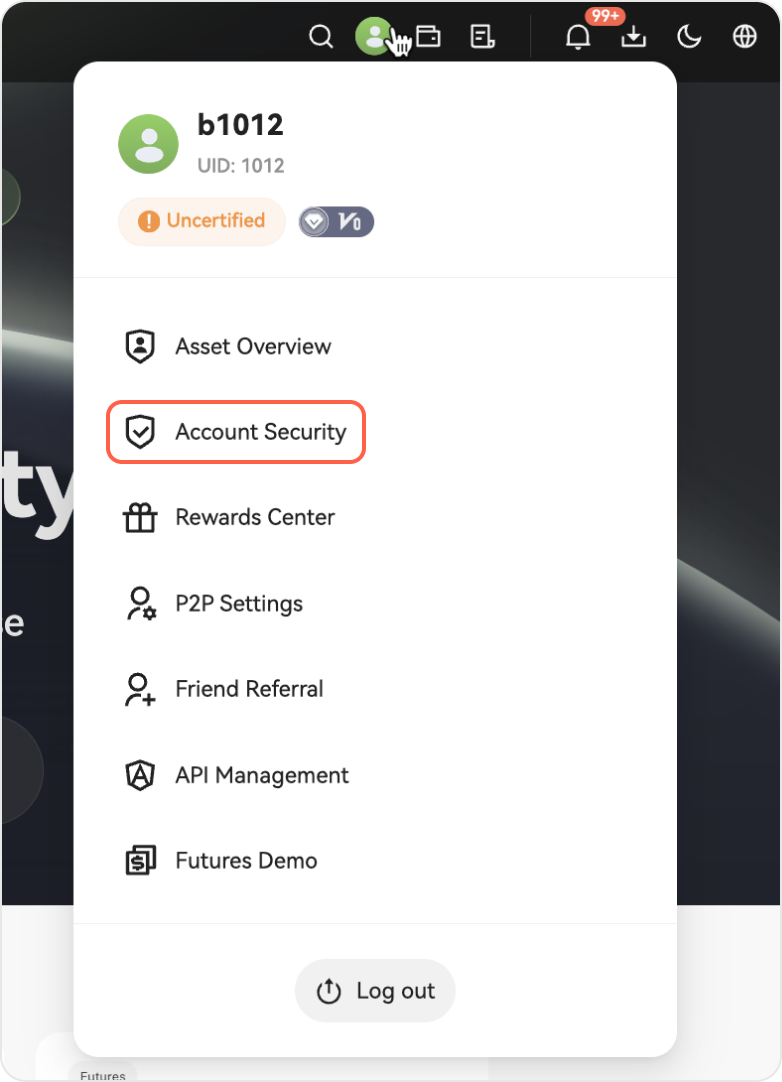
Step 2: Next to the Login Password option, click Manage on the right side.
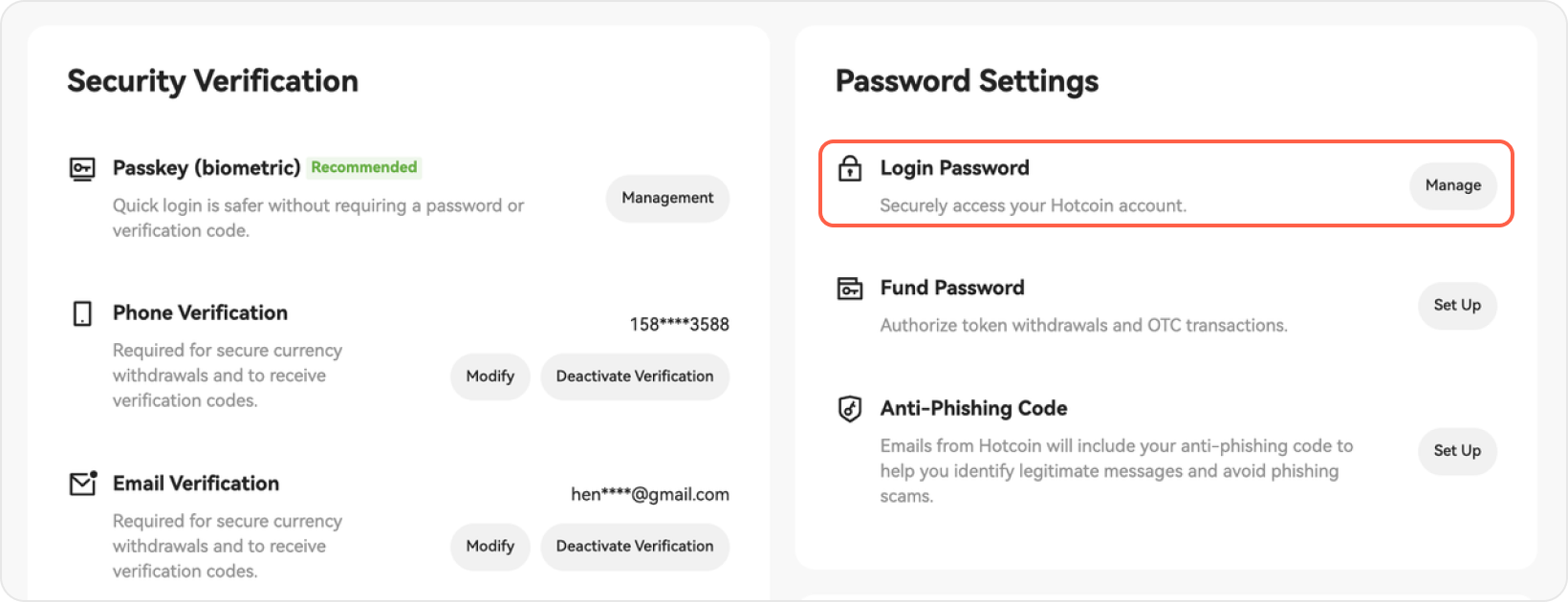
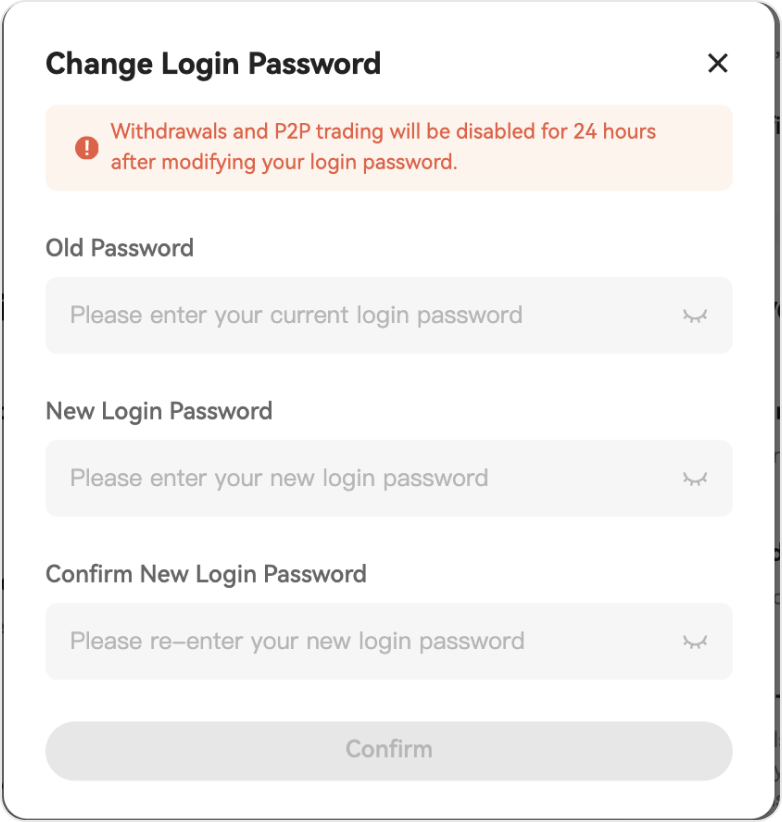
Step 3: Enter your original password, then set and confirm your new password. The new password must be entered twice and matched. Click Confirm to complete the password change.
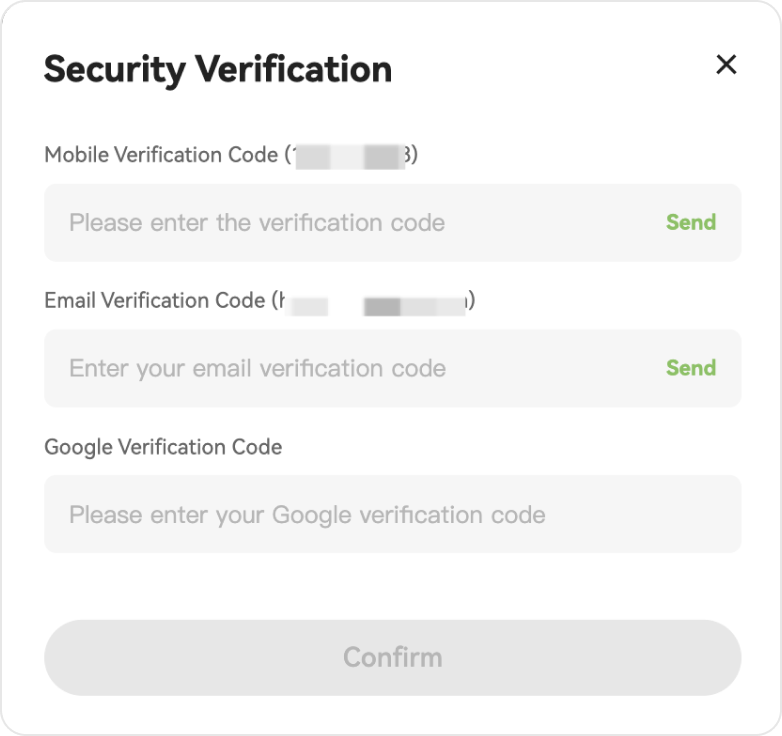
Step 4: Enter the security verification code and click Confirm.
Step 5: Your password has been successfully changed. You’ll be logged out and redirected to the login page—log in again with your new password.
Step 1: Visit the Hotcoin official website and click Log In in the top right corner, then click Forgot Password?
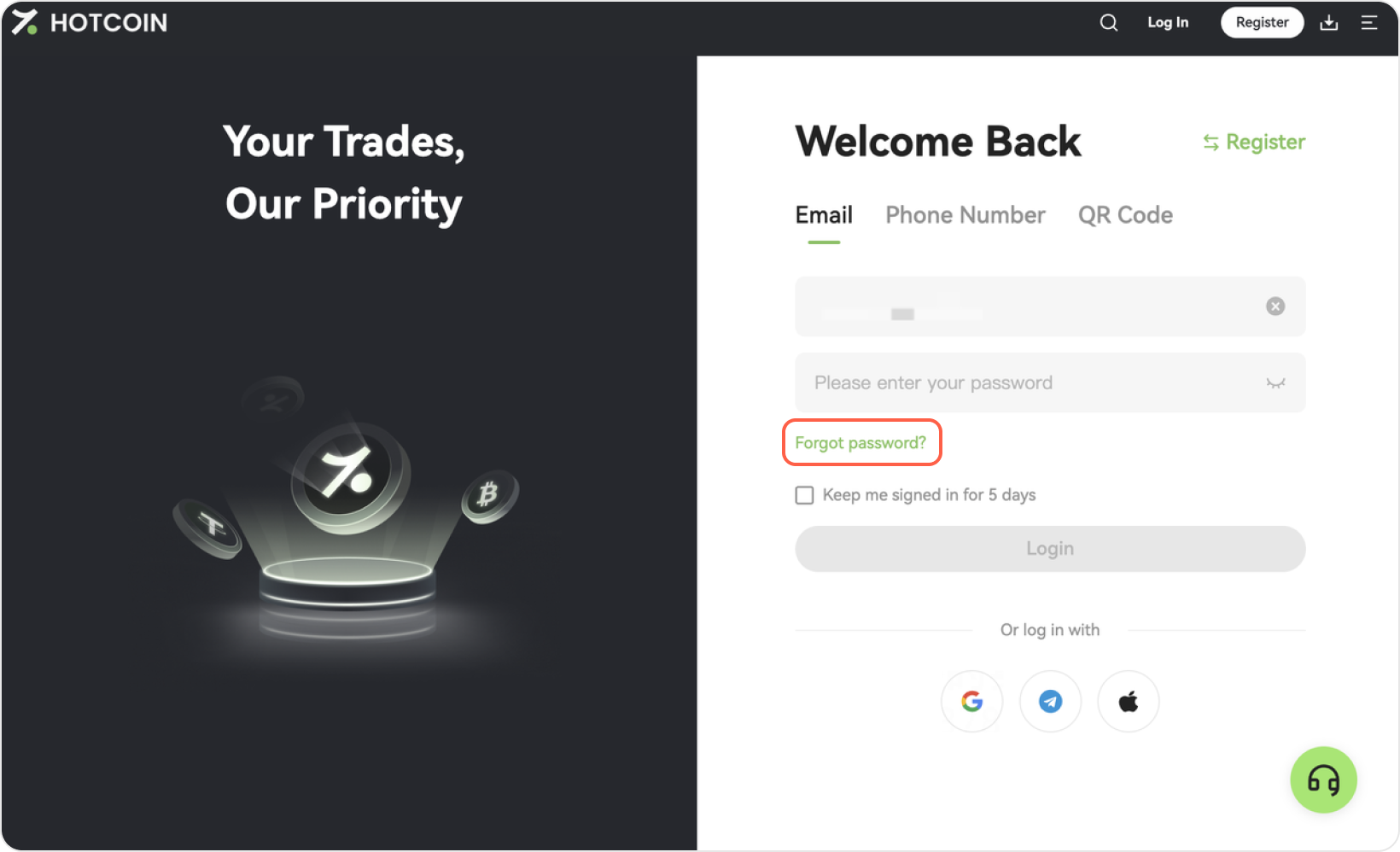
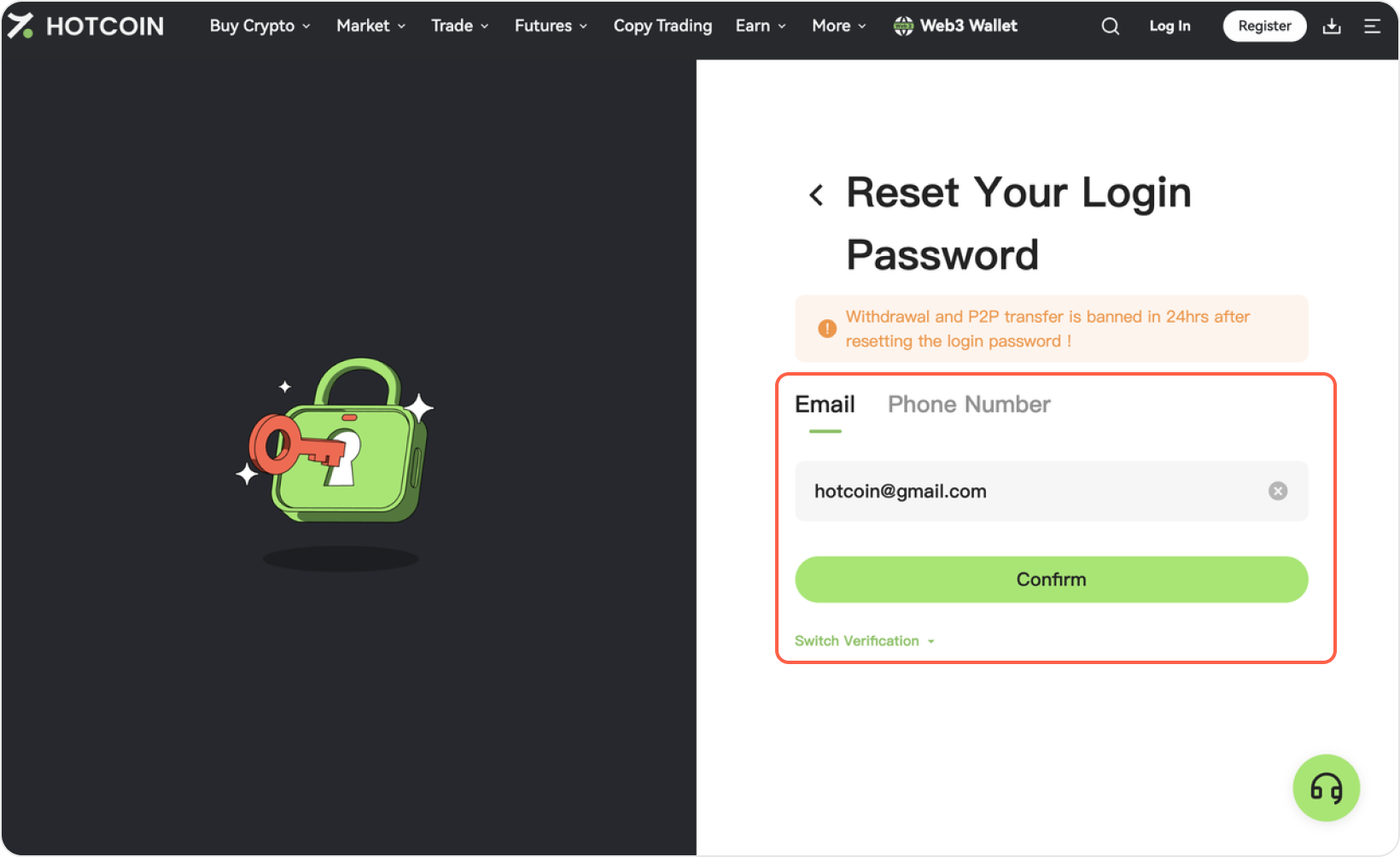
Step 2: Enter your account (email or phone number) for which you want to reset your password, then click Confirm to proceed with verification.
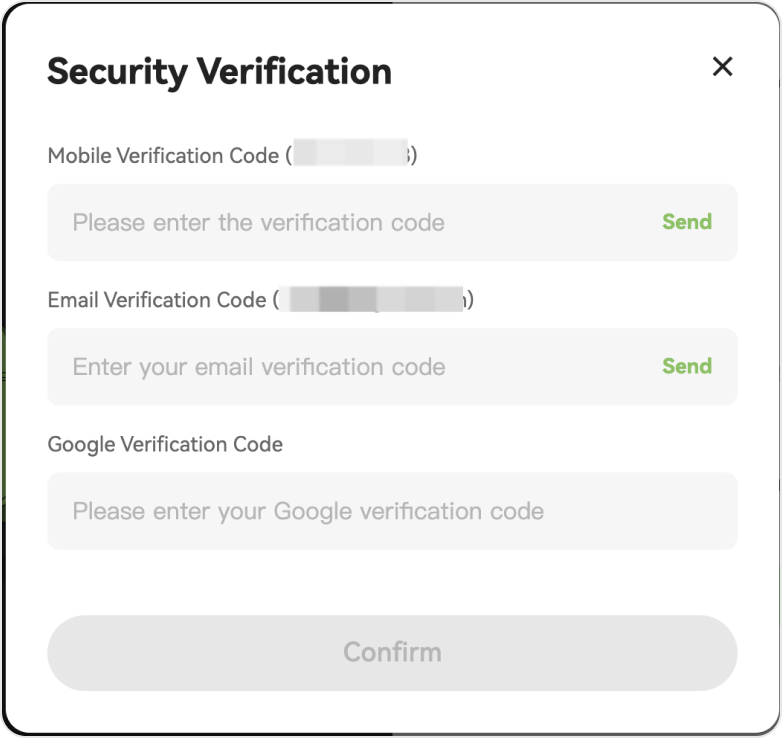
Step 3: Click Send to get your verification code via email. Enter your code, then click Confirm.
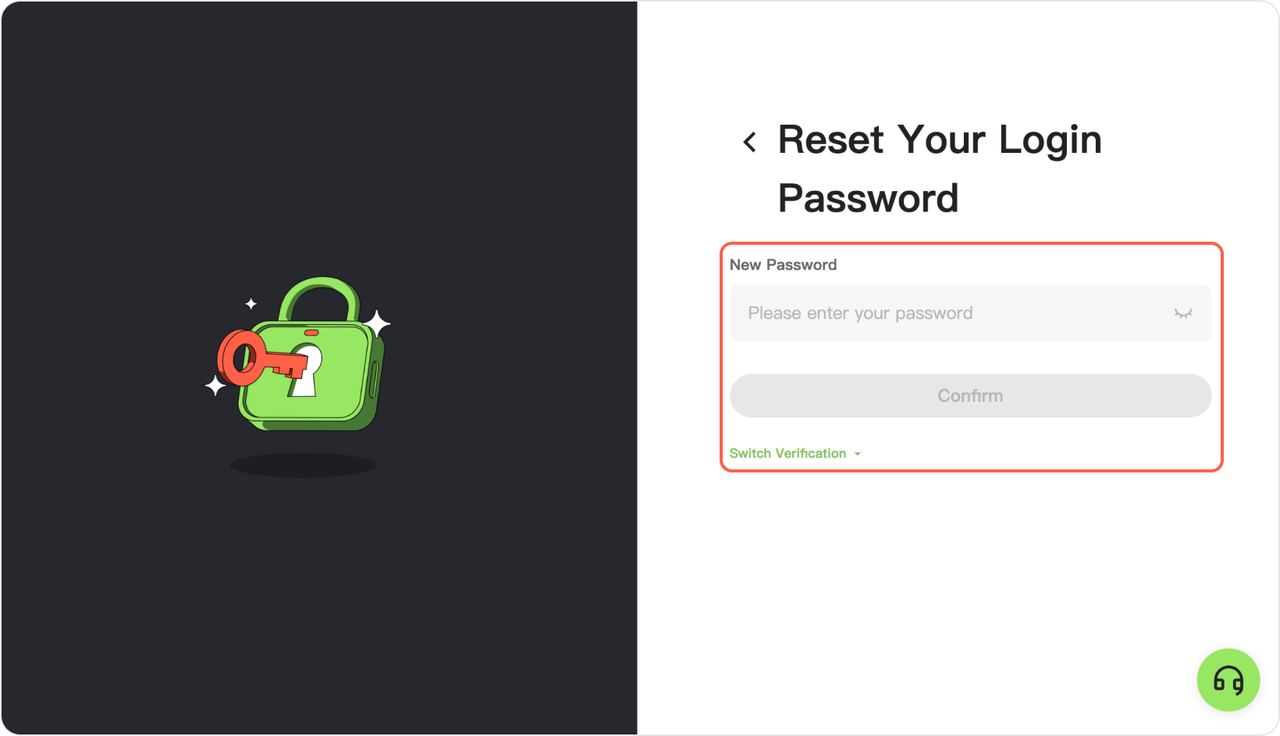
Step 4: Enter your new password and confirm it, then click Confirm.
Step 5: Your password has been successfully changed. A confirmation message will appear, and you’ll be logged out and redirected to the login page—log in again with your new password.