HOTCOIN Logo
Buy Crypto
Market
Trade
Futures
Earn
Rewards Hub
More
Web3 Wallet
Service Contacts

[email protected]

Product Feedback

[email protected]

Business Cooperation

[email protected]

Legal Contacts

[email protected]

Contact us
Service Contacts

[email protected]

Product Feedback

[email protected]

Business Cooperation

[email protected]

Legal Contacts

[email protected]

About us
Platform Introduction
Announcement Center
System Status
User Agreement
Privacy Policy
Legal Description
Products
Futures
Spot
Copy Trading
Margin
Earn
Trade Crypto via P2P
Buy Crypto with Card
Web3 Wallet
Service
Live Streaming
Hotcoin Elite Picks
Rewards Center
Friend Referral
VIP Benefits
Download
P2P Merchant Application
Support
Hotcoin Academy
Help Center
API Docs
Fee Rate
Crypto Info
Listing Application
Online Service
User Feedback
Official Verification
Trading
BTC USDC
ETH USDC
BTC USDT
ETH USDT
PI USDT
SOL USDT
XRP USDT
©2017-2026
Help Center
/P2P/P2P Trading Guide/
Hotcoin P2P Trading FAQs
Help Center
/P2P/P2P Trading Guide/
Hotcoin P2P Trading FAQs

Hotcoin P2P Trading FAQs

Hotcoin
Share


This article summarizes frequently asked questions and answers about Hotcoin P2P trading, including payment method selection, order processing, trading risk reminders, and handling exceptional situations.


How do I choose a payment method for P2P trading?


On the P2P trading page:

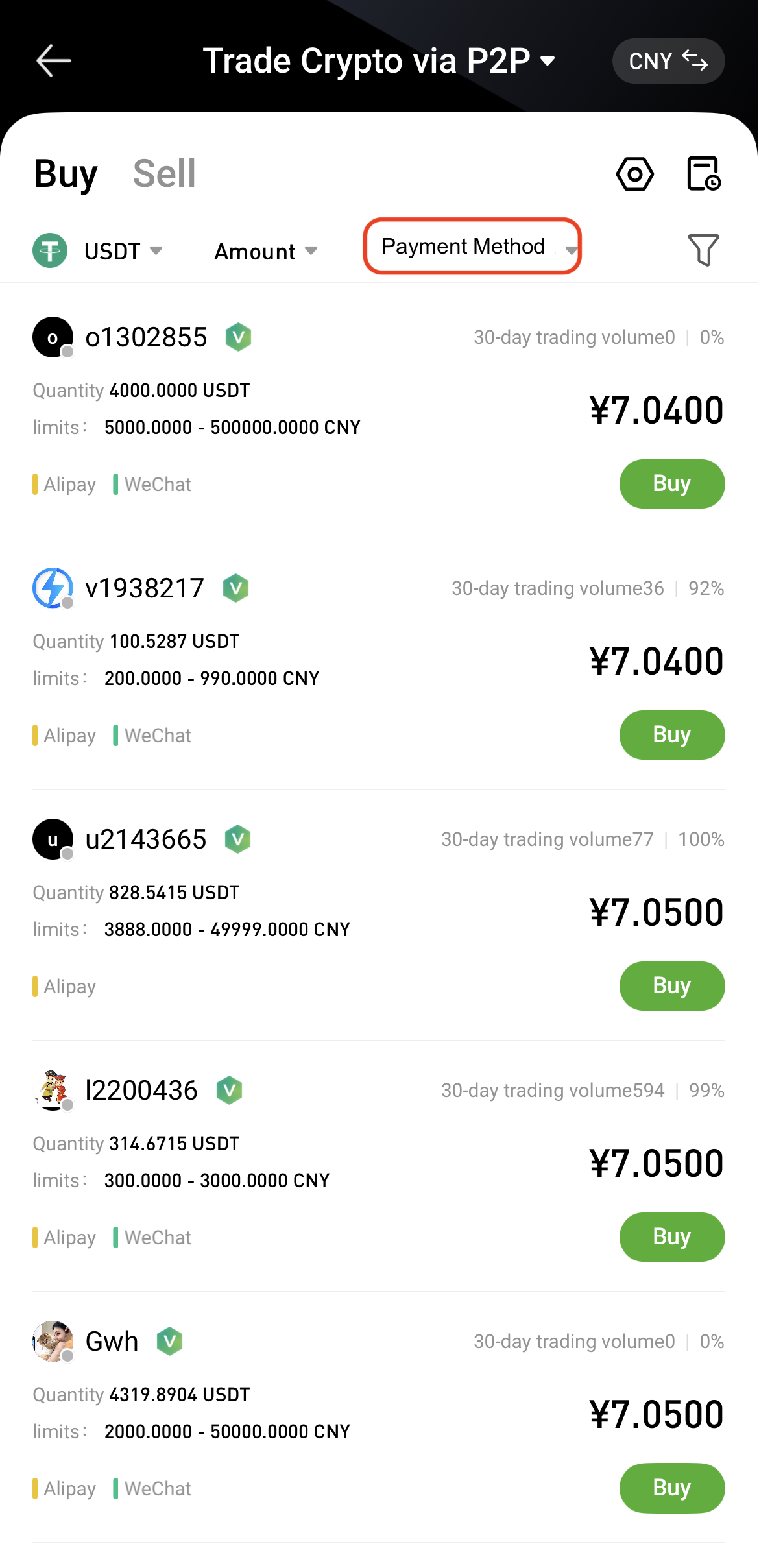
App:
Tap Payment Method, and select a payment method from the pop-up list.
   
  
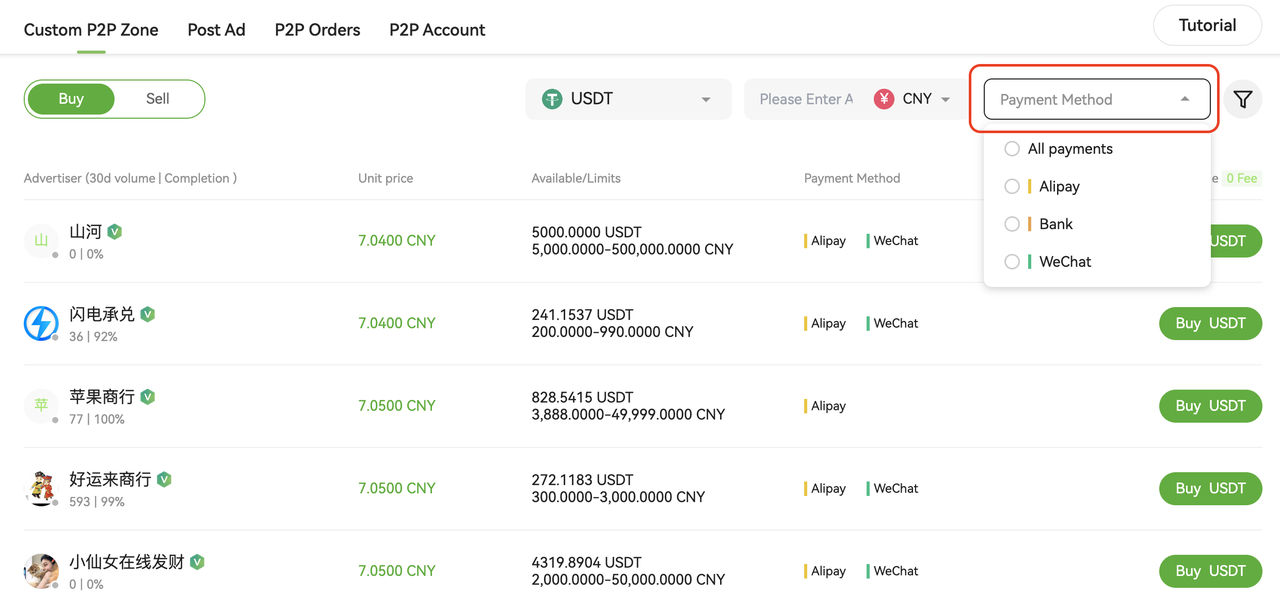
Web:
Click Payment Method on the right side, and select a payment method from the dropdown menu.


For example, when purchasing with CNY, the platform supports Alipay, bank transfer, and WeChat Pay.


Do I have to use a payment method registered under my real name?


Yes.

When trading in the Hotcoin P2P marketplace, you must use a payment method that matches the real-name verification information of your Hotcoin account.


What should I do if a risk warning appears during a transfer?


Different banks and payment providers have their own risk control systems. During a transfer, a risk warning may appear to alert you about potential risks related to the recipient account.

If this happens, please review the warning carefully and decide whether to proceed with the transaction.


Will the funds be automatically transferred after clicking “I Have Paid” ?


No.

In P2P trading, clicking I Have Paid does not automatically complete the transfer. You must manually transfer the funds using supported payment methods such as WeChat Pay, bank transfer, or Alipay.

After completing the transfer, return to the order page and click I Have Paid, then wait for the seller to confirm receipt and release the digital assets.


Please note:

  • Ensure the recipient account information is correct
  • Do not include sensitive terms such as USDT or BTC in the transfer remarks
  • Do not transfer funds to an account whose real-name information does not match the order


What should I do if I forgot to click “I Have Paid” and the order was canceled?


If you have already completed the payment but forgot to click I Have Paid, which resulted in the order being canceled, please contact Hotcoin customer support as soon as possible and provide the following information:

  • Order ID
  • UID
  • Contact information
  • Payment proof (transfer screenshot or transaction record)

Customer support will assist with verification and resolution.

Please do not negotiate refunds privately with the seller or make additional transfers, as this may result in financial loss.

To view your order history, please refer to P2P Orders and Account Assets.


What should I do if I have paid but have not received the digital assets?


If you have completed the payment but have not received the digital assets for a long time, please follow the steps below:

1) Confirm that you clicked 「I Have Paid」

Make sure you clicked the I Have Paid button on the order page after completing the transfer.

2) Wait for the seller to confirm receipt

Once the seller receives the payment, they will click Release Assets. This usually takes a few minutes.

3) Contact the seller

You can communicate with the seller through the order chat window to confirm whether the payment has been received.

4) Contact customer support

If the seller does not confirm the payment or refuses to release the assets for an extended period, please contact customer support and provide the order ID and payment proof for assistance.


What should I do if the seller asks me to cancel the order?


If the seller asks you to cancel the order, please evaluate the situation carefully.

  • If you have not made the payment: You may cancel the order directly.
  • If you have already made the payment: Do not cancel the order, as this may result in financial loss.


Recommended actions:

  • Communicate with the seller via the order page chat
  • If the seller refuses to release the assets or asks you to cancel the order, contact Hotcoin customer support immediately
  • Provide the order ID and payment proof for verification


What should I do if the seller asks me to use another payment method or trade outside the order?


In P2P trading, always use platform-supported payment methods and complete the transaction according to the order details.

If the seller asks you to:

  • Use an unsupported payment method
  • Transfer funds outside the order
  • Send funds to an account whose real-name information does not match the order

Please remain cautious and refuse such requests.

To protect your funds:

  • Only transfer funds according to the payment details shown on the order page
  • Do not conduct off-platform transactions
  • Contact Hotcoin customer support immediately if you encounter suspicious activity


Why is my P2P account unable to continue purchasing?


According to Hotcoin’s risk control policies, the following situations may result in restrictions on P2P purchases:

  • Canceling more than three orders in a single day
  • Repeated malicious order blocking behavior
  • Being identified as a high-risk user or located in a high-risk region

If you encounter such restrictions, please contact customer support for assistance.


Why did my transfer succeed but the seller has not received the funds?


If you have completed the transfer but the seller has not received the funds, please check the following:

  • Whether the recipient account information exactly matches the order details
  • Whether the payment method has processing delays
  • Whether the bank or payment provider is undergoing system maintenance

If the funds still have not arrived, please contact your bank or payment provider for confirmation.

If the transfer has been confirmed but the seller still has not received the funds, please contact Hotcoin customer support for assistance.


Are there any fees for P2P trading?


In the Hotcoin P2P marketplace, regular users are generally not charged trading fees when buying or selling digital assets.

For detailed fee information, please refer to the latest platform announcements or fee schedule.


Related Articles

P2P Orders and Account Assets

Trading Safety and Dispute Handling

How to Buy Crypto via Hotcoin P2P on the Web

How to Buy Crypto via Hotcoin P2P on the App

How to Sell Crypto via Hotcoin P2P on the Web

How to Sell Crypto via Hotcoin P2P on the App

Quick Start Guide
Cryptocurrency Basics
Beginner’s Guide
App Guide
Start Trading
VIP Program
Rewards Center
Account Security & KYC
Asset Security
Security Settings
KYC Verification
Deposit & Withdrawal
Deposit
Withdrawal
P2P
P2P Trading Guide
P2P Merchant Management
P2P Rules & Agreements
Friend Referral
Spot Trading
Spot Trading
Pre-market trading
Derivatives
Advanced Trading
Grid Trading
Trend Trading
Fundamentals of Technical Analysis (Candlesticks / MACD / RSI)
Prediction Market
Futures Grid
Futures Trading
Getting Started
Contract Type
Trading Mechanics
Risk Management
FAQ
Copy Trading
Getting Started
Follower Guide
Lead Trader Guide
Terms of Service
Web3 Wallet
Getting Started
Swap
Hotcoin Card
Hotcoin Earn
Alpha
Startup
Platform Support
Agreements & Rules