
HOTCOIN Logo
Buy Crypto
Market
Trade
Futures
Earn
Rewards Hub
More
Web3 Wallet
Service Contacts

[email protected]

Product Feedback

[email protected]

Business Cooperation

[email protected]

Legal Contacts

[email protected]

Contact us
Service Contacts

[email protected]

Product Feedback

[email protected]

Business Cooperation

[email protected]

Legal Contacts

[email protected]

About us
Platform Introduction
Announcement Center
System Status
User Agreement
Privacy Policy
Legal Description
Products
Futures
Spot
Copy Trading
Margin
Earn
Trade Crypto via P2P
Buy Crypto with Card
Web3 Wallet
Service
Live Streaming
Hotcoin Elite Picks
Rewards Center
Friend Referral
VIP Benefits
Download
P2P Merchant Application
Support
Hotcoin Academy
Help Center
API Docs
Fee Rate
Crypto Info
Listing Application
Online Service
User Feedback
Official Verification
Trading
BTC USDC
ETH USDC
BTC USDT
ETH USDT
PI USDT
SOL USDT
XRP USDT
©2017-2026
Help Center
/P2P/P2P Merchant Management/
How to Post and Manage P2P Merchant Ads
Help Center
/P2P/P2P Merchant Management/
How to Post and Manage P2P Merchant Ads

How to Post and Manage P2P Merchant Ads

Hotcoin
Share

How to Post a P2P Merchant Ad


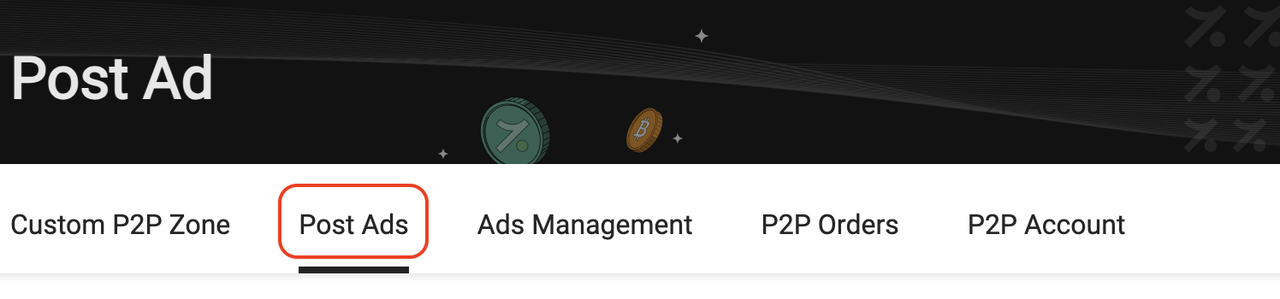
1. Go to the P2P Merchant section then click the 「Post Ads」 button


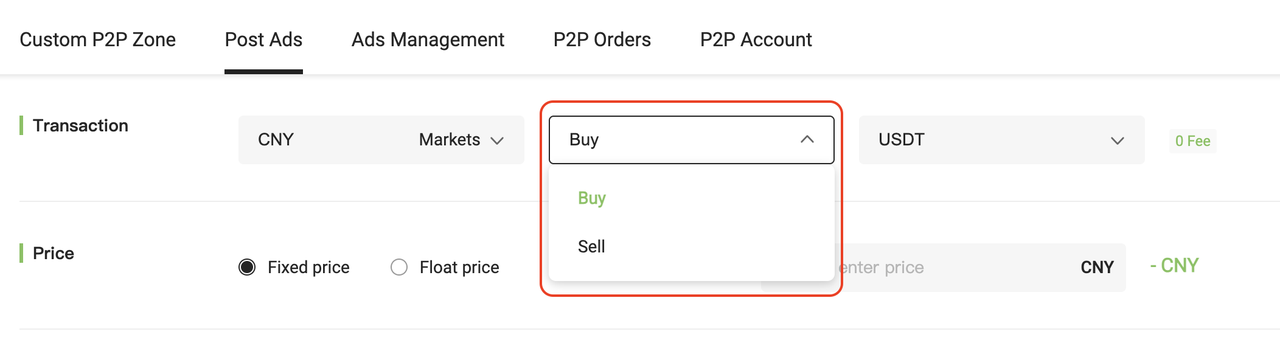
2. Choose Buy or Sell


Select whether you want to post a Buy or Sell ad. (P2P trading defaults to CNY.)


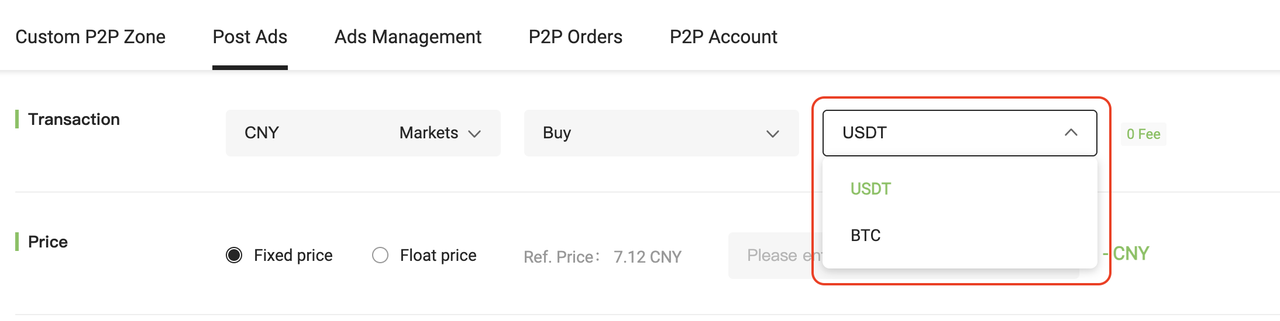
3. Choose the currency pair you want to trade


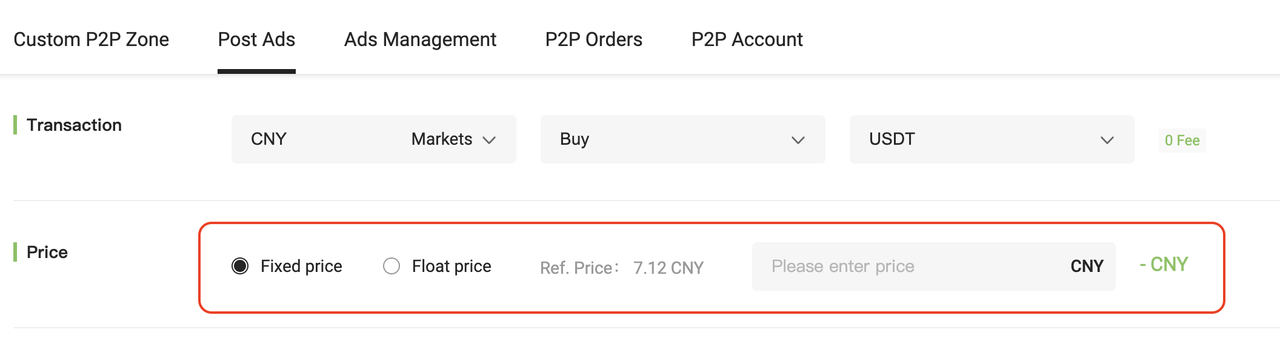
4. Set the Pricing Type


Choose between Fixed Price and Floating Price. (Fixed Price is set as the default.)

  • Fixed Price: Enter the exact price you wish to trade at.
  • Floating Price: Based on the real-time market price. You’ll need to enter a floating ratio. Negative ratios are allowed.

  👉 Learn more: What is the Floating Price Mechanism?


5. Set Trade Limits and Time Windows


 Configure the total quantity, minimum single order limit (≥ 1 CNY), and maximum single order amount.
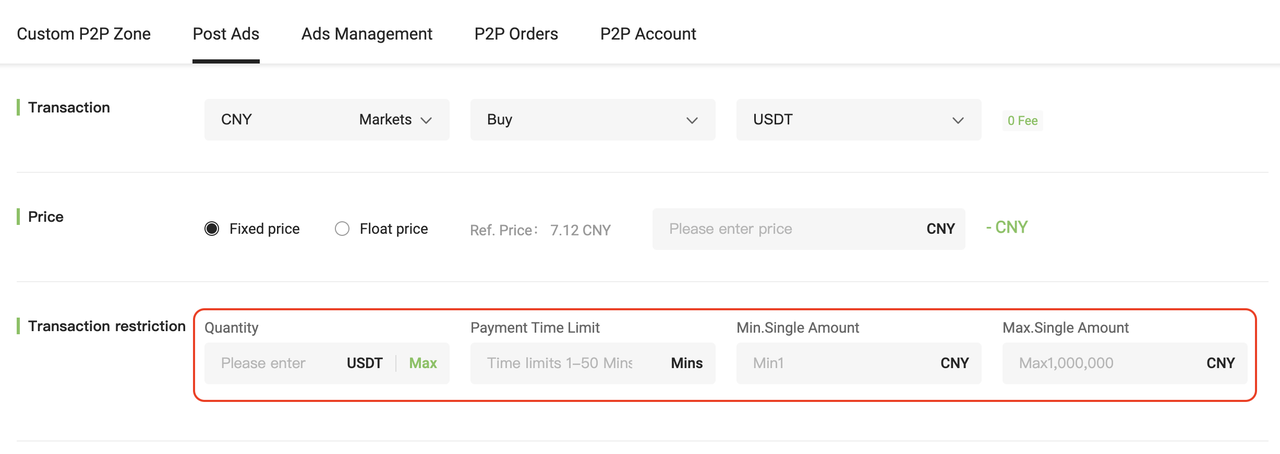
  • Set payment time limit for the counterparty (15–30 minutes)
  • Set payment time limit for yourself (10–20 minutes for buy-ins)


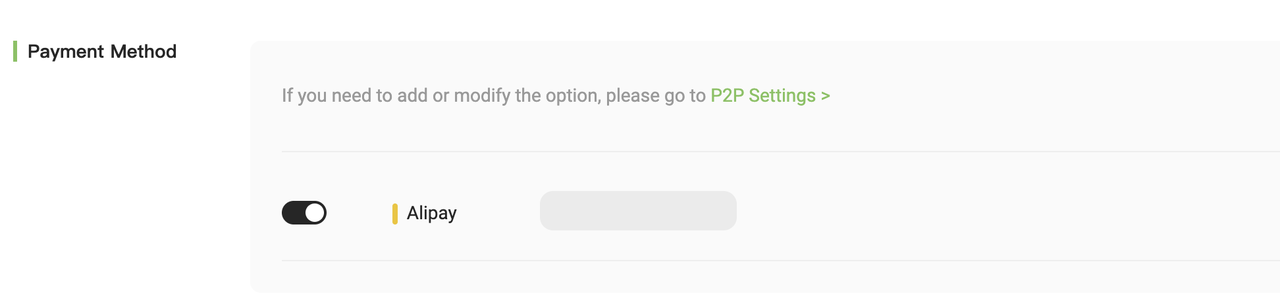
6. Select Payment Methods


Choose one or more supported payment methods (up to 3). At least one must be enabled. 


7. Add Auto-Reply and Ad Remarks (Optional)
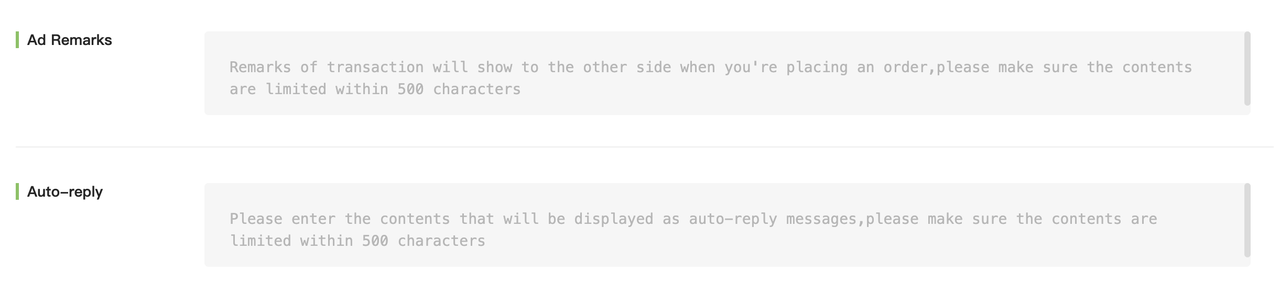
  

  • Auto-Reply: Automated message sent to the counterparty after an order is placed (max 500 words).
  • Ad Remarks: A short message displayed when someone clicks your ad (max 500 words).


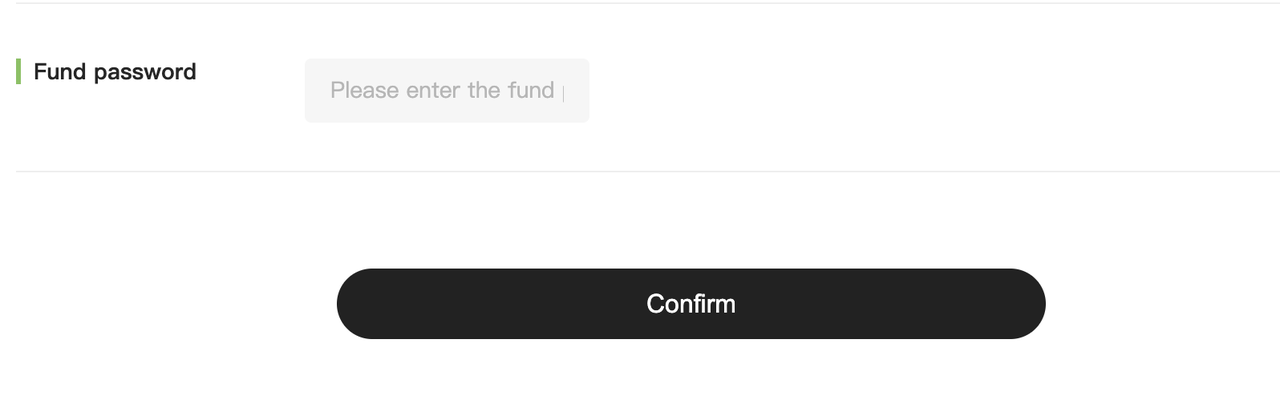
8. Publish the Ad


After setting all parameters, enter your fund password and click 「Confirm」 to post your ad.


How to Manage Your P2P Merchant Ads


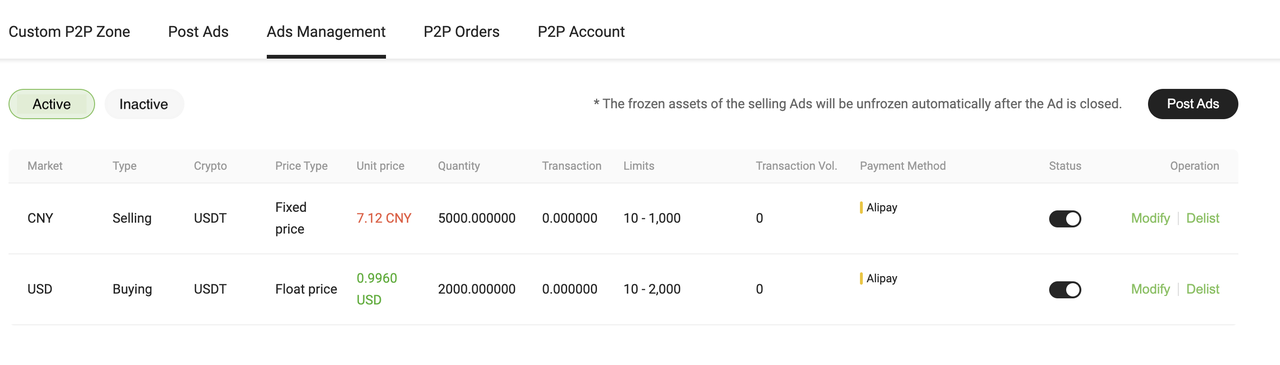
1. Access Ads Management


After posting your advertisement, go to the「Ads Management」 section to manage your listings.


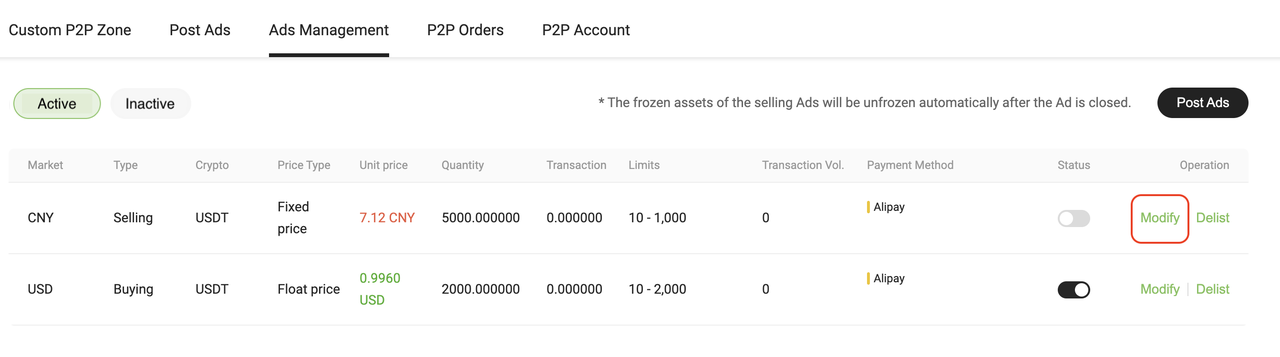
2. Modify Ad Details


For active ads, disable the「Status」 toggle and click the「Modify」 button to edit the ad. You will be redirected to the ad editing page.


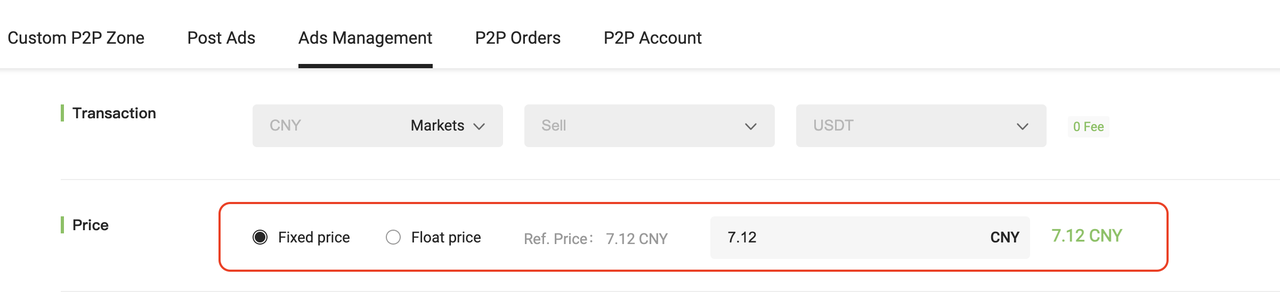
3. Adjust Price Type


You can update the Floating Price or Fixed Price settings here.


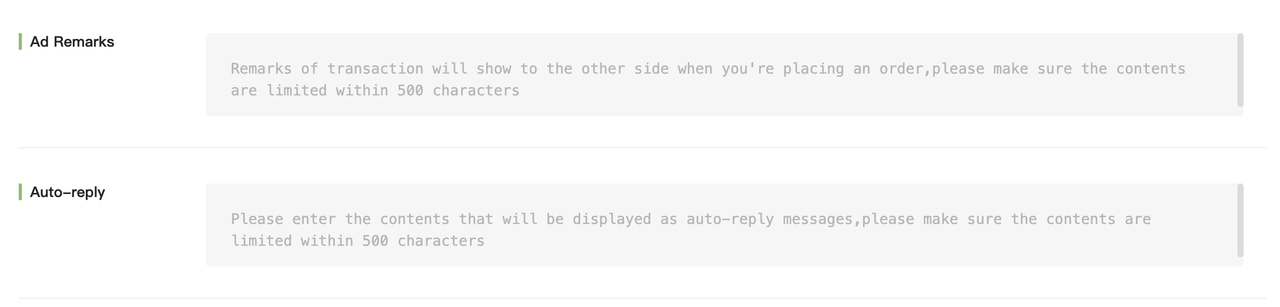
4. Set Auto-Reply and Remarks


Scroll down to configure the Auto-Reply Message (sent automatically after an order is placed) and Ad Remarks (displayed when users view your ad).


5. Save Changes


Click the「Confirm」 button to update your advertisement status.
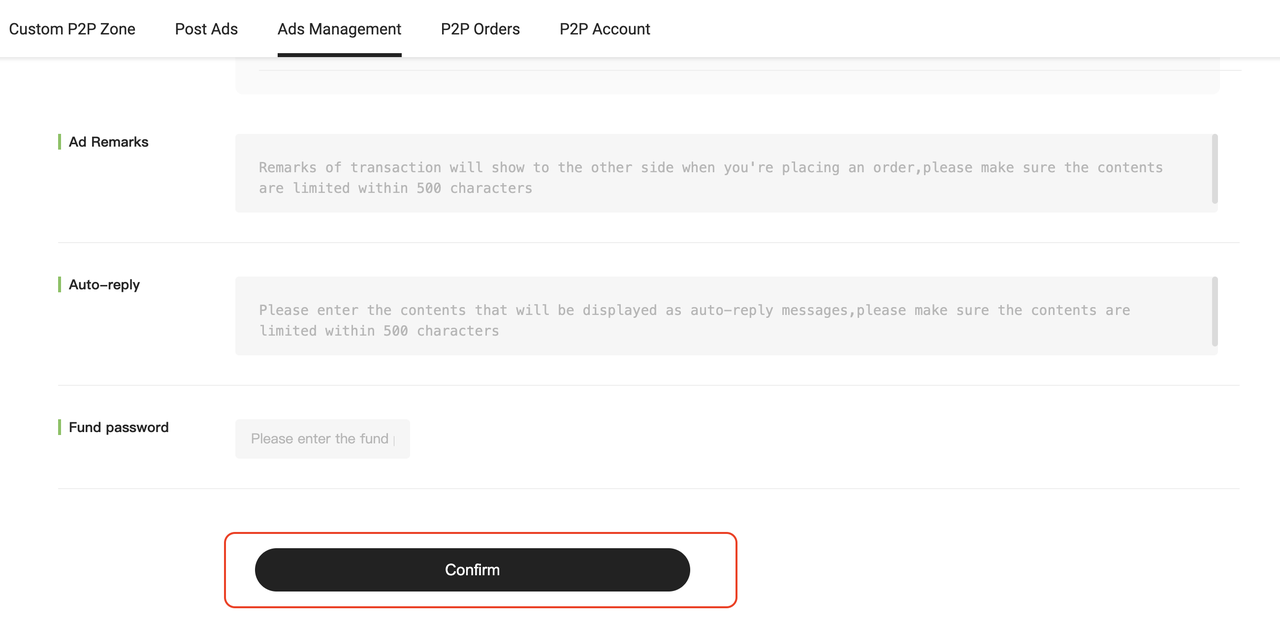


6. Take Ads Offline When Unavailable


Please take your ads offline if you’re temporarily unavailable or unable to process orders, to avoid incomplete transactions.


7. View Off-Shelf Ads


If an ad is offline (inactive), click the「Inactive」 button to view its details.
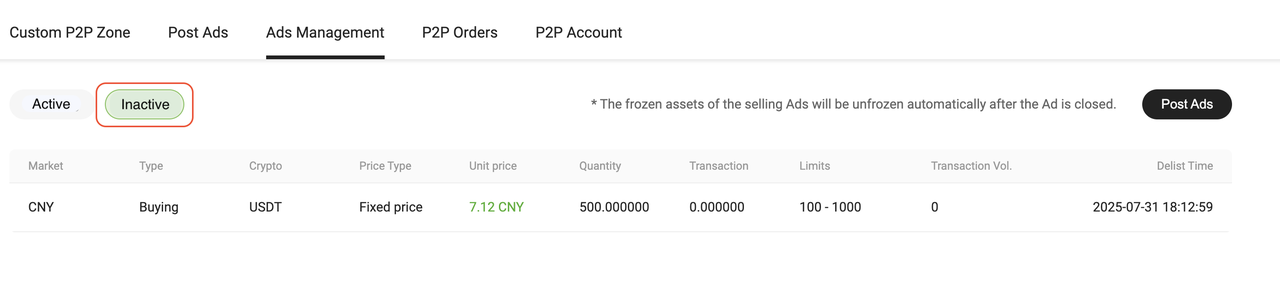


💡 Kind Reminder
  
  • If a complaint is accepted, the system will automatically take your ads offline
  • If multiple failed trades occur, the system may freeze your ad, preventing it from being relisted

Quick Start Guide
Cryptocurrency Basics
Beginner’s Guide
App Guide
Start Trading
VIP Program
Rewards Center
Account Security & KYC
Asset Security
Security Settings
KYC Verification
Deposit & Withdrawal
Deposit
Withdrawal
P2P
P2P Trading Guide
P2P Merchant Management
P2P Rules & Agreements
Friend Referral
Spot Trading
Spot Trading
Pre-market trading
Derivatives
Advanced Trading
Grid Trading
Trend Trading
Fundamentals of Technical Analysis (Candlesticks / MACD / RSI)
Prediction Market
Futures Grid
Futures Trading
Getting Started
Contract Type
Trading Mechanics
Risk Management
FAQ
Copy Trading
Getting Started
Follower Guide
Lead Trader Guide
Terms of Service
Web3 Wallet
Getting Started
Swap
Hotcoin Card
Hotcoin Earn
Alpha
Startup
Platform Support
Agreements & Rules