HOTCOIN Logo
Buy Crypto
Market
Trade
Futures
Earn
Rewards Hub
More
Web3 Wallet
Service Contacts

[email protected]

Product Feedback

[email protected]

Business Cooperation

[email protected]

Legal Contacts

[email protected]

Contact us
Service Contacts

[email protected]

Product Feedback

[email protected]

Business Cooperation

[email protected]

Legal Contacts

[email protected]

About us
Platform Introduction
Announcement Center
System Status
User Agreement
Privacy Policy
Legal Description
Products
Futures
Spot
Copy Trading
Margin
Earn
Trade Crypto via P2P
Buy Crypto with Card
Web3 Wallet
Service
Live Streaming
Hotcoin Elite Picks
Rewards Center
Friend Referral
VIP Benefits
Download
P2P Merchant Application
Support
Hotcoin Academy
Help Center
API Docs
Fee Rate
Crypto Info
Listing Application
Online Service
User Feedback
Official Verification
Trading
BTC USDC
ETH USDC
BTC USDT
ETH USDT
PI USDT
SOL USDT
XRP USDT
©2017-2026
Help Center
/Quick Start Guide/Beginner’s Guide/
How to Sign Up on Hotcoin via Mobile Browser
Help Center
/Quick Start Guide/Beginner’s Guide/
How to Sign Up on Hotcoin via Mobile Browser

How to Sign Up on Hotcoin via Mobile Browser

Hotcoin
Share


Follow these steps to create a Hotcoin account using your mobile browser:


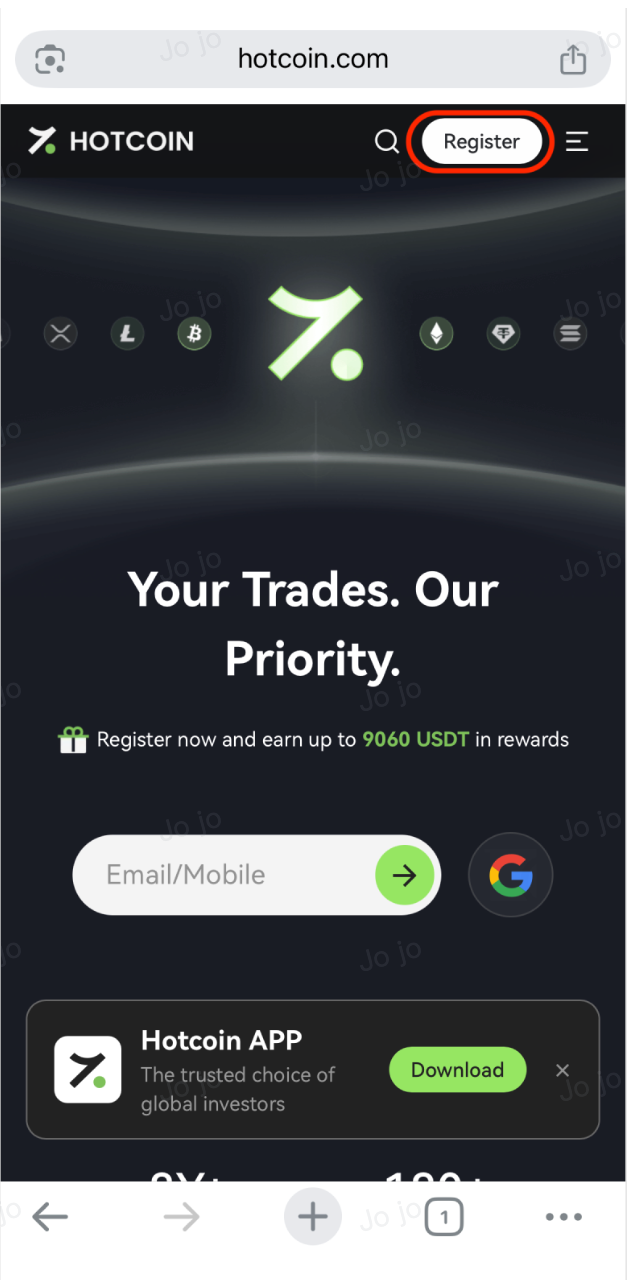
1、Visit the official Hotcoin website using a secure browser (e.g., Safari, Chrome, Firefox, Edge): https://www.hotcoin.com/en_US/


2、Tap the Register button in the upper right corner


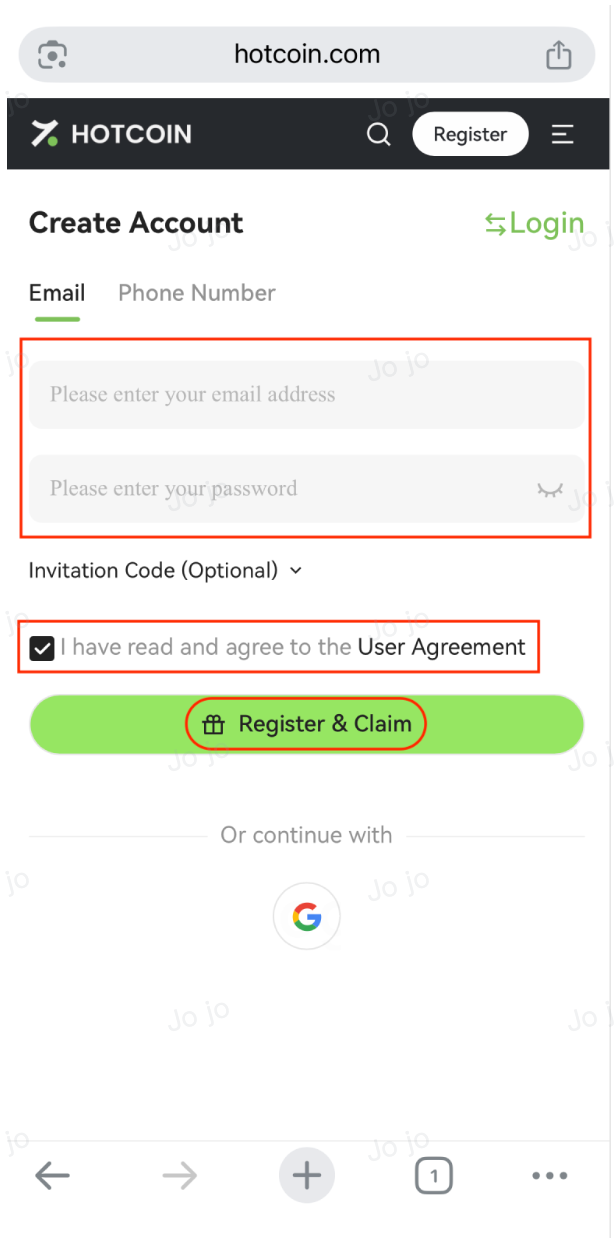
3、On the registration page, fill in the following fields:


  • Email Address or Mobile Number
  • Create a Secure Password
    • Your password must be 8–20 characters long
    • Must include at least two of the following: letters, numbers, or special characters
    • Avoid using only numbers or simple sequences
  • Check the box to confirm that you have read and agree to the User Agreement
  • Tap the Register & Claim button


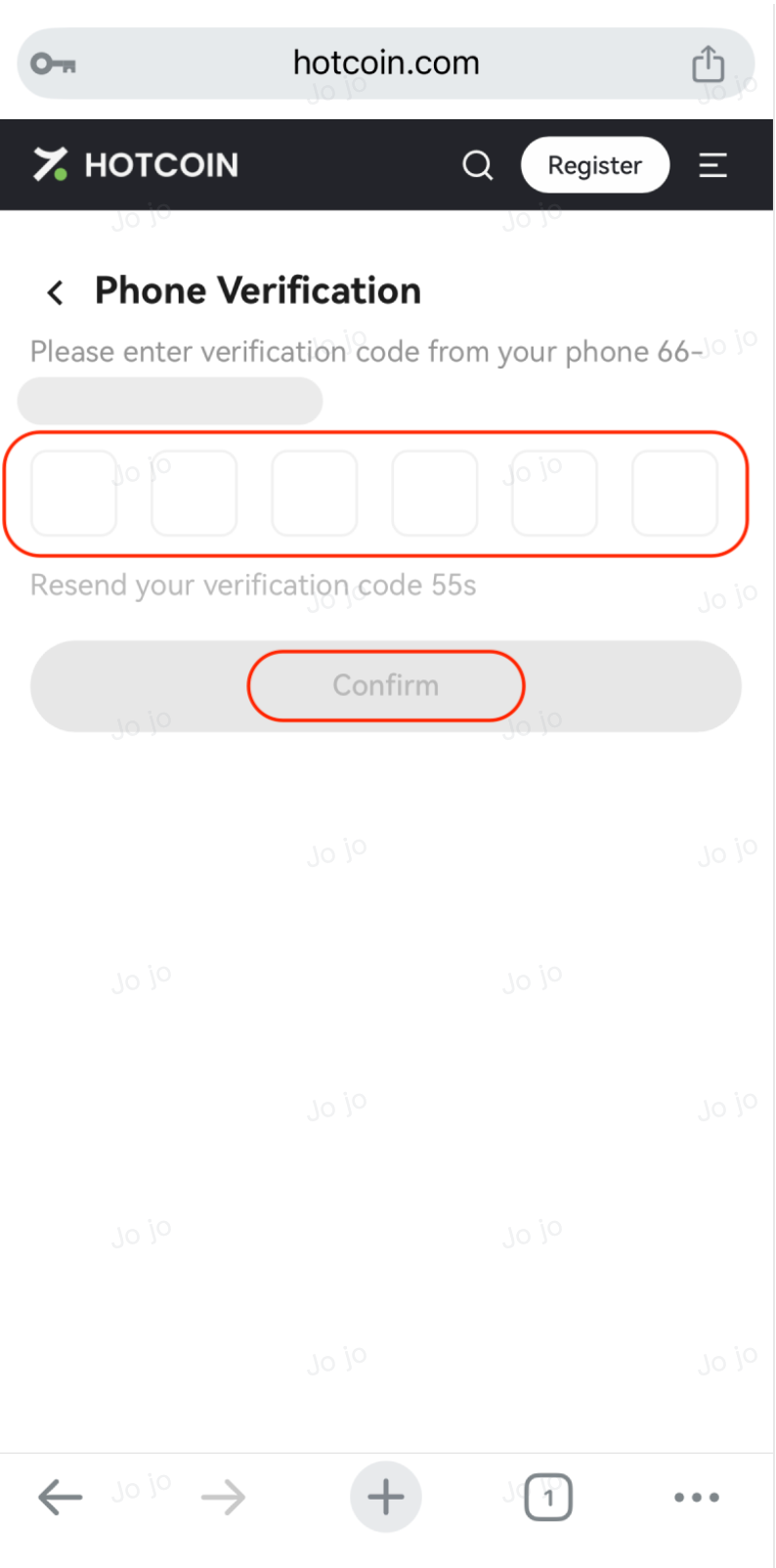
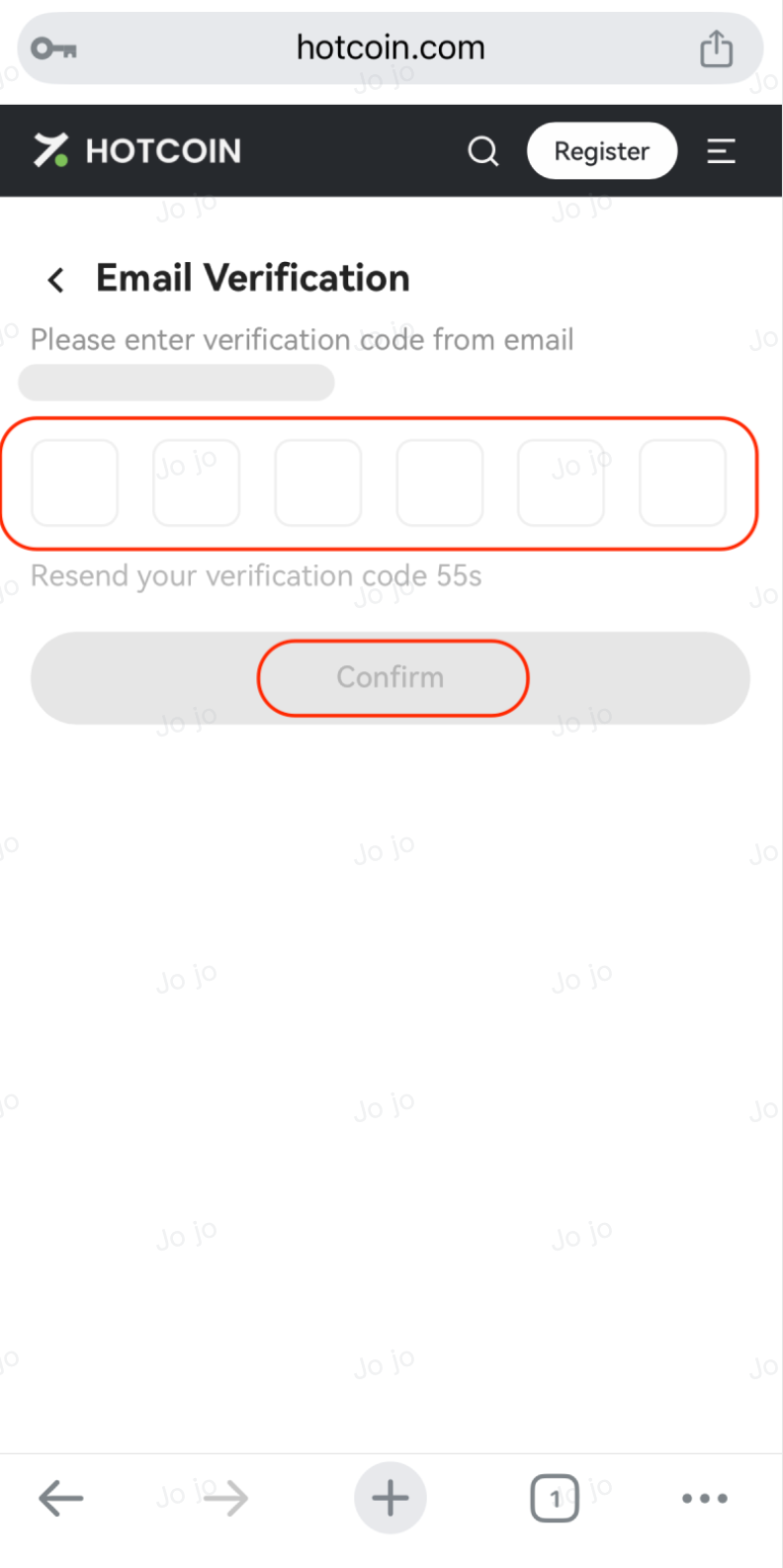
4、Enter your Verification Code

  • After tapping the Register & Claim button, a 6-digit dynamic code will be sent to your email or phone
  • Enter the code in the verification field to continue and click Confirm


5、Complete Your Registration

  • After your verification code is confirmed, you’ll be redirected to the Hotcoin homepage and remain logged in
  • You can access your Account Center by tapping the profile icon in the upper right corner of the page to manage your settings
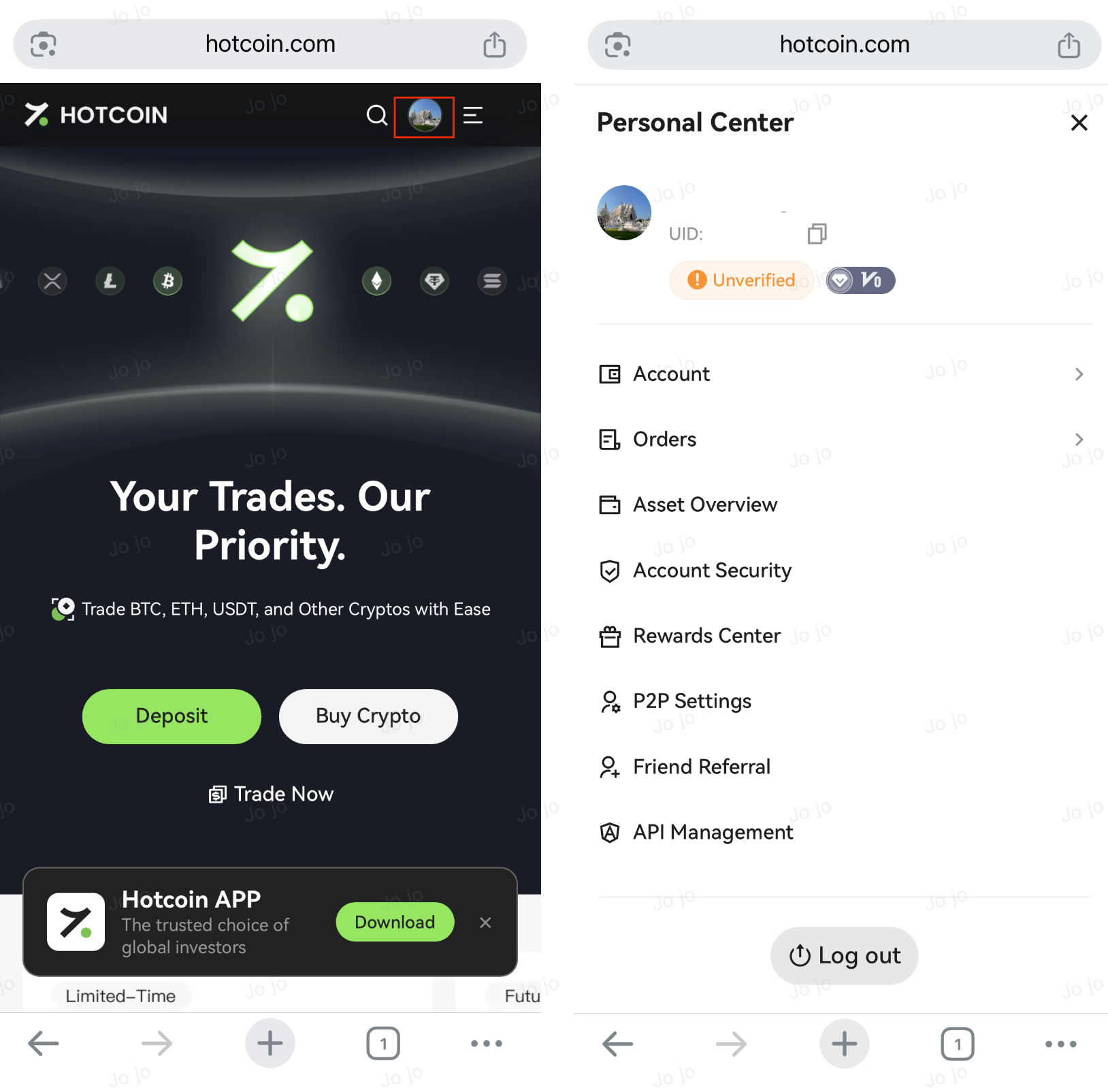


6、Log In to Your New Hotcoin Account

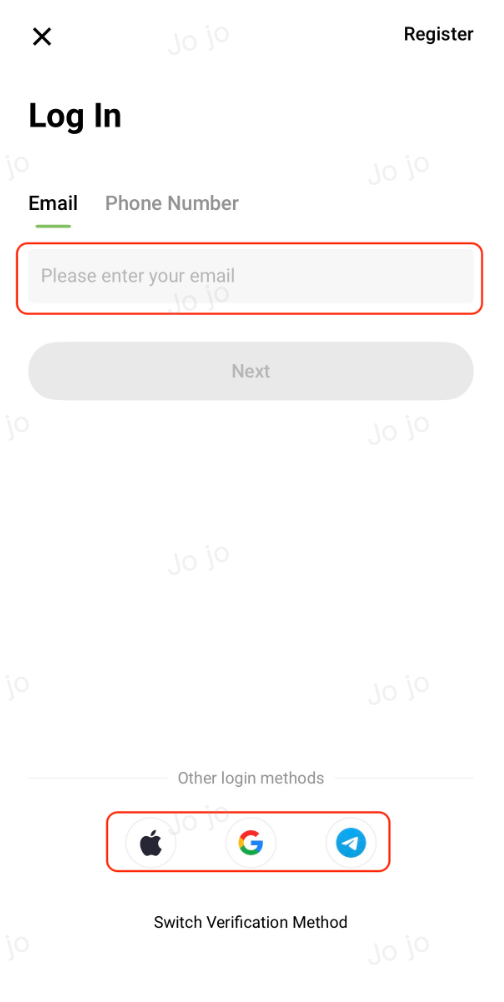
  • If you need to log in again, visit the official Hotcoin login page at https://www.hotcoin.com/en_US/login and sign in using your registered mobile number or email address and password
  • You can also log in directly using your Google, Telegram, or Apple account without additional registration

  

Quick Start Guide
Cryptocurrency Basics
Beginner’s Guide
App Guide
Start Trading
VIP Program
Rewards Center
Account Security & KYC
Asset Security
Security Settings
KYC Verification
Deposit & Withdrawal
Deposit
Withdrawal
P2P
P2P Trading Guide
P2P Merchant Management
P2P Rules & Agreements
Friend Referral
Spot Trading
Spot Trading
Pre-market trading
Derivatives
Advanced Trading
Grid Trading
Trend Trading
Fundamentals of Technical Analysis (Candlesticks / MACD / RSI)
Prediction Market
Futures Grid
Futures Trading
Getting Started
Contract Type
Trading Mechanics
Risk Management
FAQ
Copy Trading
Getting Started
Follower Guide
Lead Trader Guide
Terms of Service
Web3 Wallet
Getting Started
Swap
Hotcoin Card
Hotcoin Earn
Alpha
Startup
Platform Support
Agreements & Rules