HOTCOIN Logo
Buy Crypto
Market
Trade
Futures
Earn
Rewards Hub
More
Web3 Wallet
Service Contacts

[email protected]

Product Feedback

[email protected]

Business Cooperation

[email protected]

Legal Contacts

[email protected]

Contact us
Service Contacts

[email protected]

Product Feedback

[email protected]

Business Cooperation

[email protected]

Legal Contacts

[email protected]

About us
Platform Introduction
Announcement Center
System Status
User Agreement
Privacy Policy
Legal Description
Products
Futures
Spot
Copy Trading
Margin
Earn
Trade Crypto via P2P
Buy Crypto with Card
Web3 Wallet
Service
Live Streaming
Hotcoin Elite Picks
Rewards Center
Friend Referral
VIP Benefits
Download
P2P Merchant Application
Support
Hotcoin Academy
Help Center
API Docs
Fee Rate
Crypto Info
Listing Application
Online Service
User Feedback
Official Verification
Trading
BTC USDC
ETH USDC
BTC USDT
ETH USDT
PI USDT
SOL USDT
XRP USDT
©2017-2026
Help Center
/Deposit & Withdrawal/Withdrawal/
How to Withdraw on the Hotcoin App?
Help Center
/Deposit & Withdrawal/Withdrawal/
How to Withdraw on the Hotcoin App?

How to Withdraw on the Hotcoin App?

Hotcoin
Share


An asset withdrawal refers to transferring digital assets from your Hotcoin account to an external wallet address, such as a personal wallet or another trading platform. This article walks you through how to withdraw digital assets on the Hotcoin App.


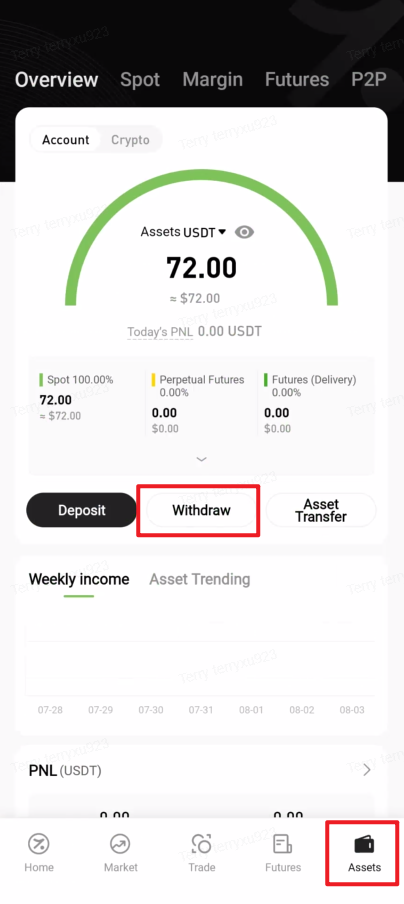
1. Open the Hotcoin App, tap “Assets” in the bottom-right corner to enter the asset overview page, then tap “Withdraw”. 


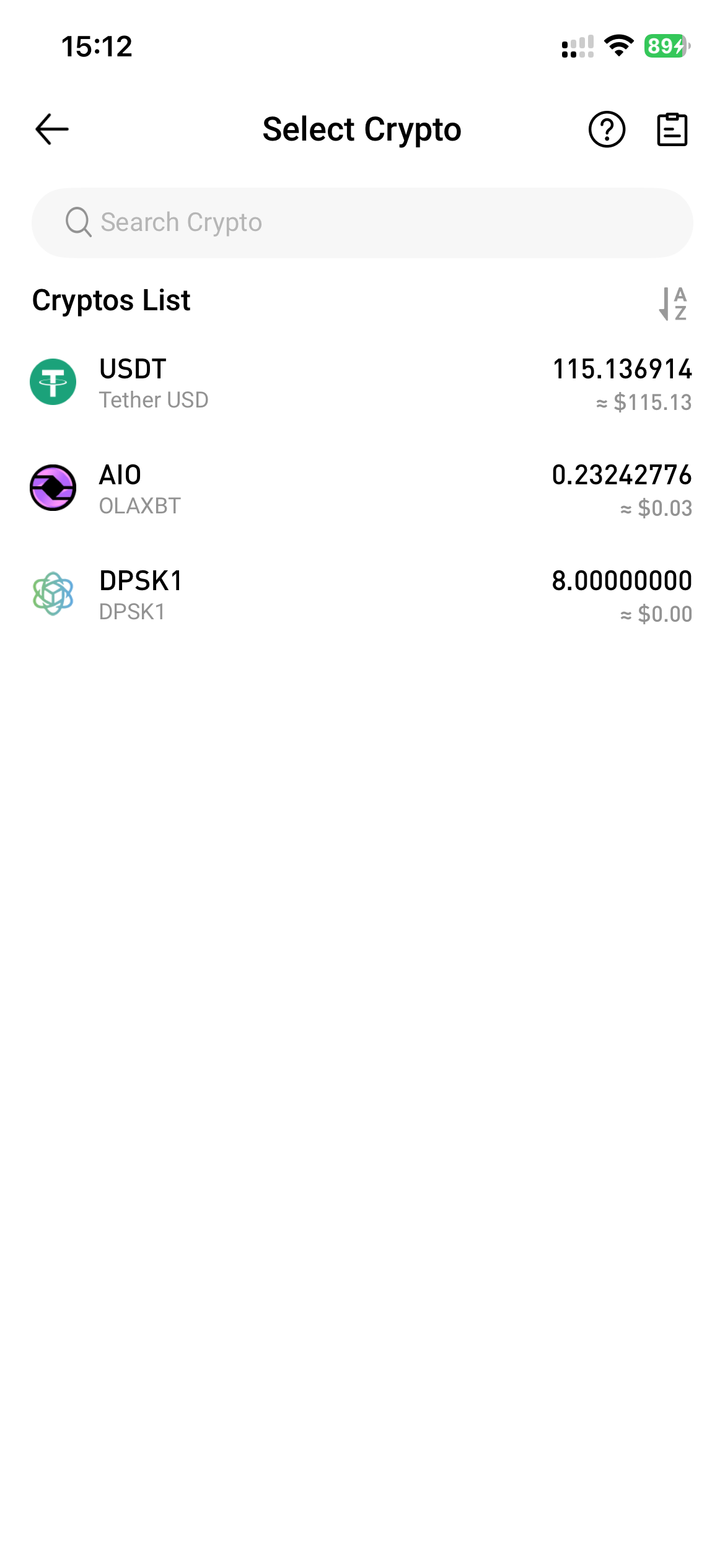
2. Select the asset you wish to withdraw from the Cryptos List.
  

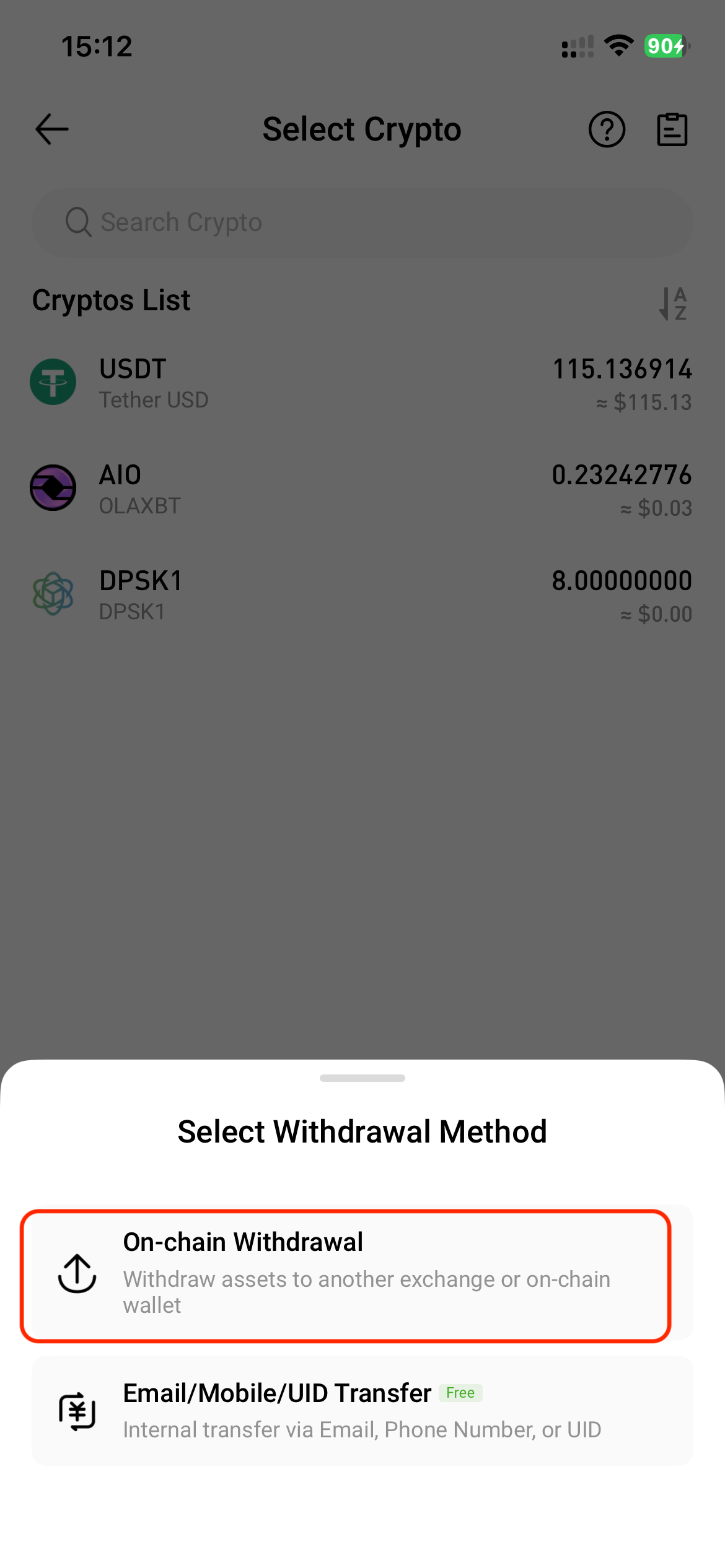
3. In the Select Withdrawal Method window, choose “On-chain Withdrawal”.


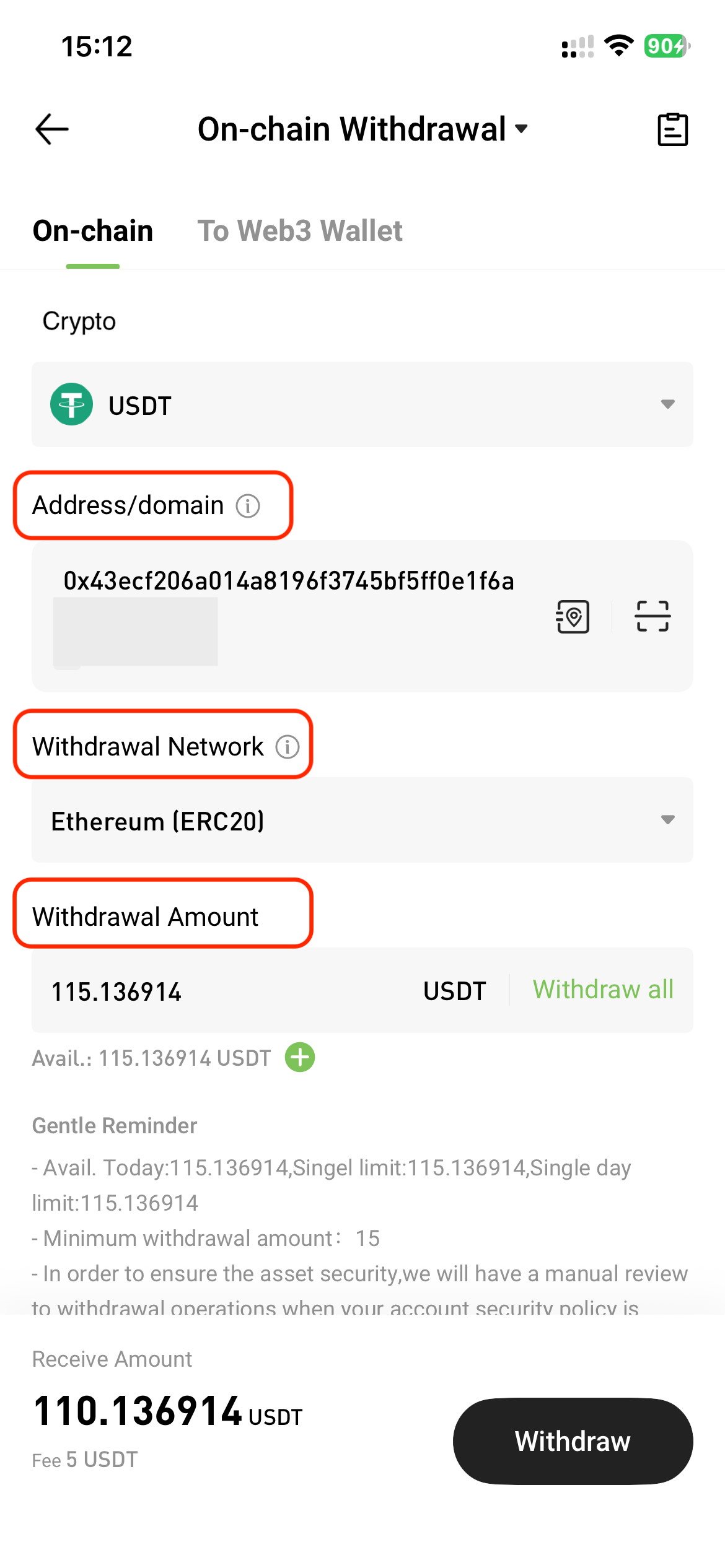
4. On the On-chain Withdrawal page, tap "On-chain" and enter the following information:

  • Address / Domain: To manage or add a new address, tap the Address Book icon next to the input field.
  • Withdrawal Network: Ensure the selected network matches the one used for depositing funds; otherwise, assets may be lost.
  • Withdrawal Amount: After entering the amount, the system will automatically display the fee and the estimated amount to be received.
  • Tap “Withdraw”.


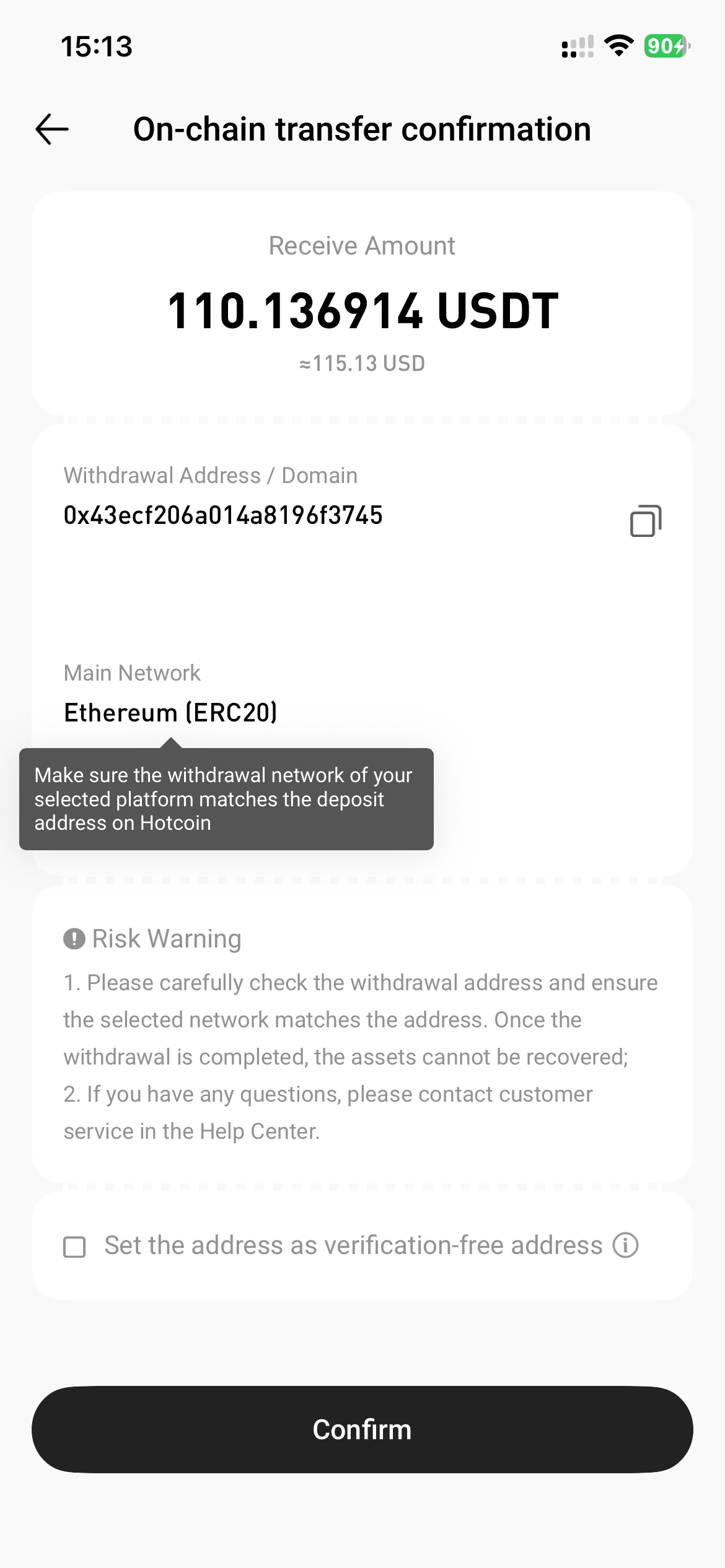
5. Review the transfer details in the pop-up window, then tap “Confirm”.


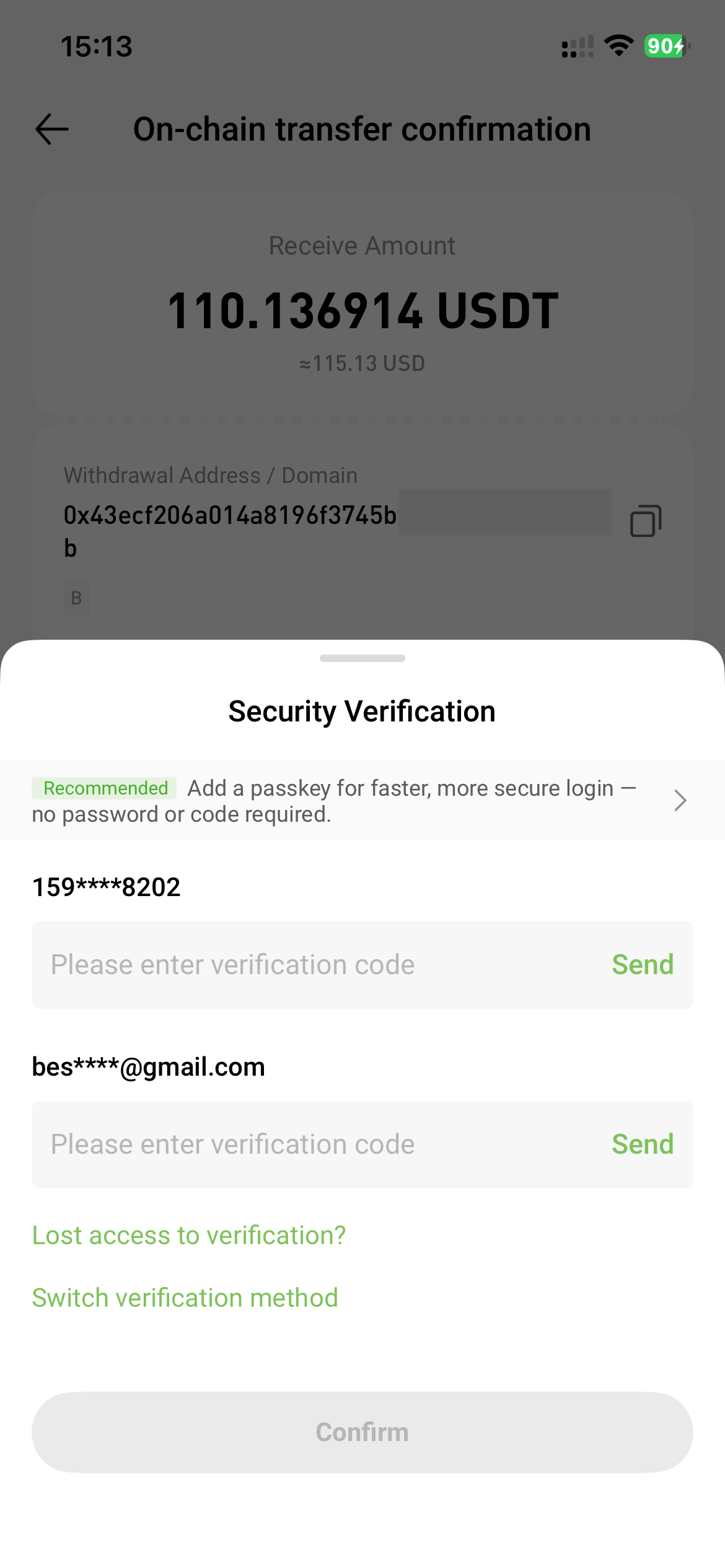
6. Complete the required security verification (e.g., SMS, email, or Google Authenticator), then tap "Confirm".


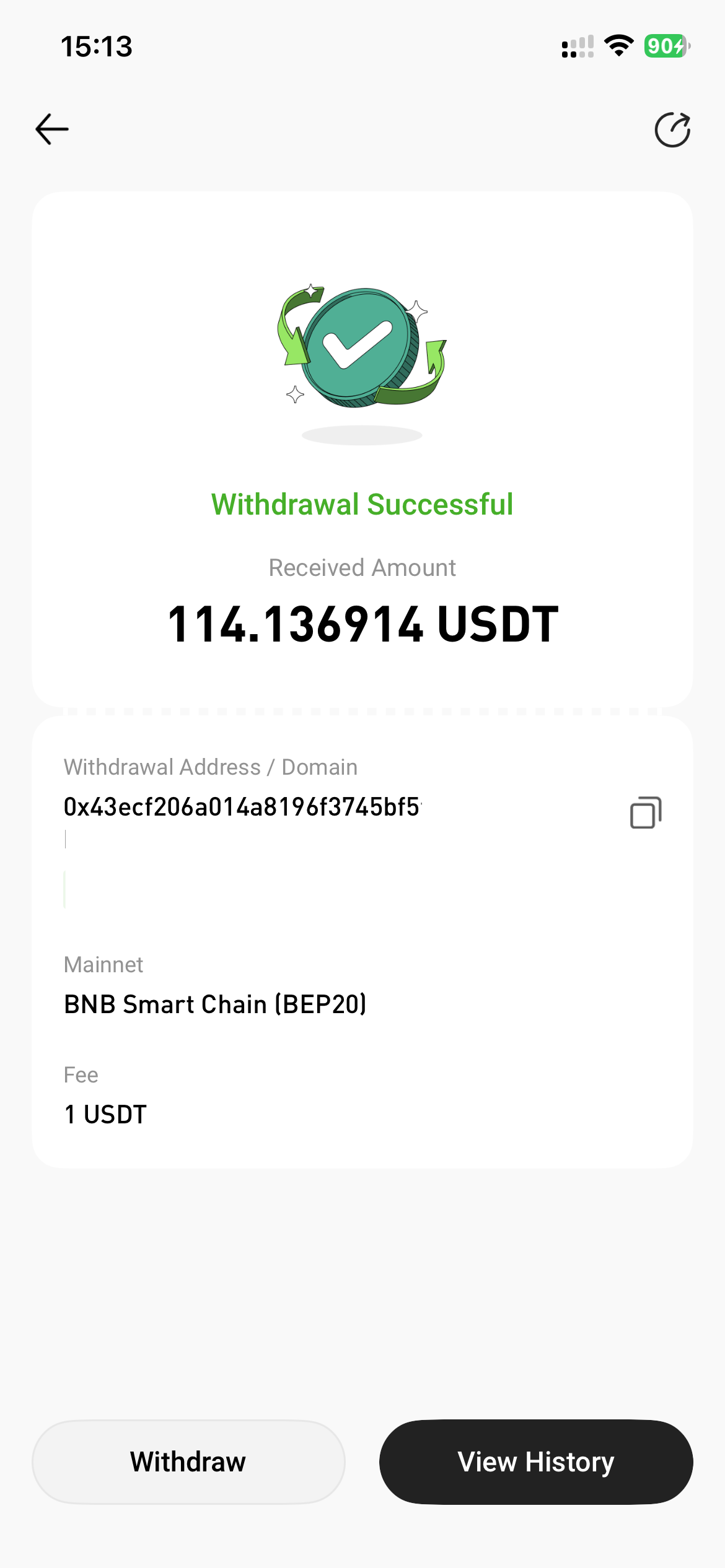
7. The withdrawal is completed successfully.


⚠️ Notes


  • Please ensure that the withdrawal address is accurate and secure to avoid potential asset loss.
  • The withdrawal amount must meet the platform’s minimum withdrawal requirement. Withdrawals below the minimum amount will not be processed.
  • Withdrawal requests require confirmation by blockchain network nodes. The actual arrival time may vary depending on the asset and network used.
  • Please ensure that your device and network environment are secure to prevent information tampering or leakage.

Quick Start Guide
Cryptocurrency Basics
Beginner’s Guide
App Guide
Start Trading
VIP Program
Rewards Center
Account Security & KYC
Asset Security
Security Settings
KYC Verification
Deposit & Withdrawal
Deposit
Withdrawal
P2P
P2P Trading Guide
P2P Merchant Management
P2P Rules & Agreements
Friend Referral
Spot Trading
Spot Trading
Pre-market trading
Derivatives
Advanced Trading
Grid Trading
Trend Trading
Fundamentals of Technical Analysis (Candlesticks / MACD / RSI)
Prediction Market
Futures Grid
Futures Trading
Getting Started
Contract Type
Trading Mechanics
Risk Management
FAQ
Copy Trading
Getting Started
Follower Guide
Lead Trader Guide
Terms of Service
Web3 Wallet
Getting Started
Swap
Hotcoin Card
Hotcoin Earn
Alpha
Startup
Platform Support
Agreements & Rules